GameCuki is reader-supported. When you buy through links on our site, we may earn an affiliate commission at no extra cost to you. As an Amazon Associate I earn from qualifying purchases. Learn more.
Both of these wireless mice have a thumb rest, a pile of side buttons and a scroll wheel that does more than scroll, so choosing between them is harder than the spec sheets suggest. If you are weighing the Logitech G502 X Plus vs Razer Basilisk V3 Pro, the real question is whether a lighter shell and extra buttons beat Bluetooth, a higher polling-rate ceiling and wireless charging.
Best for Lighter Weight
Logitech G502 X Plus
Bottom LineThe pick if you want a lighter shell, 13 programmable controls and a long battery life, and you never use Bluetooth.
Design and Shape: Lighter Logitech vs Roomier Razer
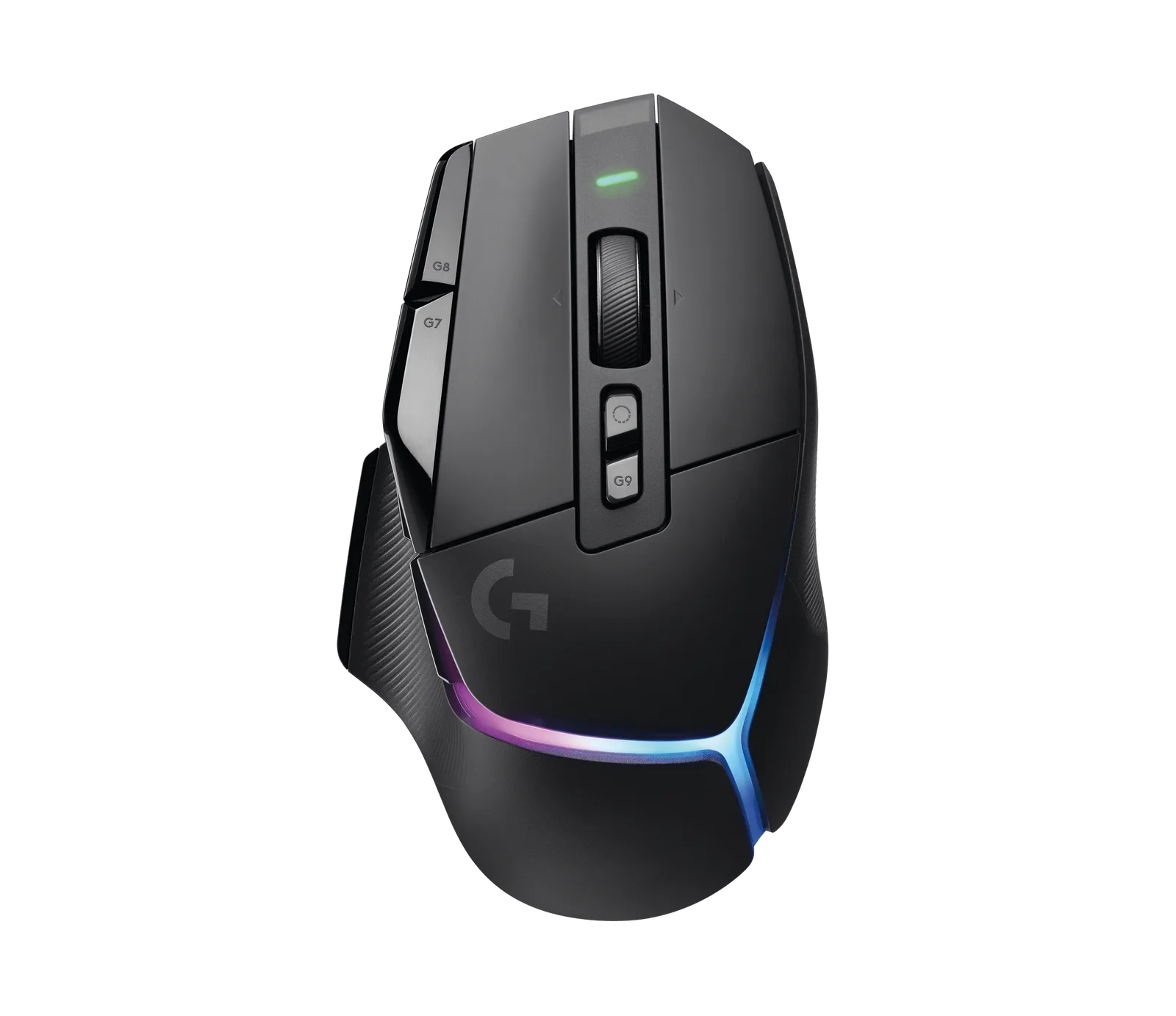
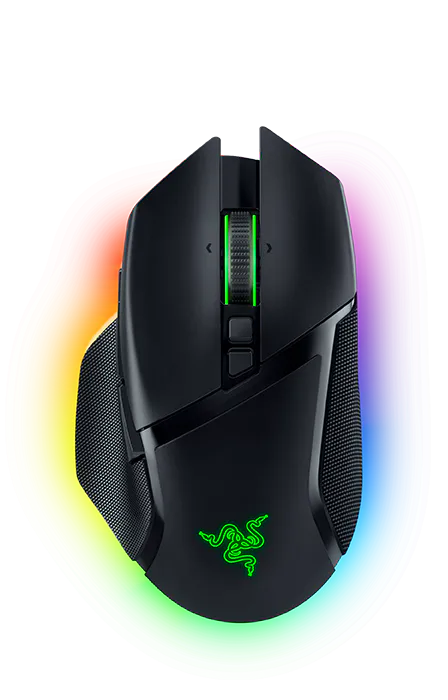
Both mice are right-handed ergonomic shapes built around a thumb rest and a cluster of side buttons. The Logitech is the lighter of the two at 106 g (3.74 oz), and it is about 131.4 x 79.2 x 41.1 mm. The Razer weighs 112 g (3.95 oz) and is 130 x 75.4 x 42.5 mm, so it is a touch narrower and taller. A 6 g gap is small, but the G502 X Plus has the edge if low weight matters to you.
The Basilisk V3 Pro also has a rounded, glowing look, with 13 Chroma RGB zones and underglow. The G502 X Plus keeps the familiar G502 profile and adds an 8-zone LIGHTSYNC strip around the front. The Logitech has a reversible, removable DPI-shift button, which lets you move it closer to your thumb or swap in a blank cover for a plainer grip.
Which Basilisk V3 Pro you can buy matters, too. The original model uses the Focus Pro 30K sensor, and the current retail version is the V3 Pro 35K, which has a newer sensor and a longer battery rating. The sections below flag where the two differ.
The Logitech G502 X Plus in black. (Image: Logitech G)The Razer Basilisk V3 Pro with its Chroma underglow. (Image: Razer)
Sensor and Polling Rate: Razer Has the Higher Ceiling
The Basilisk V3 Pro uses the Razer Focus Pro 30K optical sensor, rated for 30,000 DPI, 750 IPS and 70 G of acceleration. The 35K refresh raises the DPI ceiling to 35,000 and adds 1 DPI steps. The G502 X Plus uses Logitech’s HERO sensor. Logitech’s older spec sheet lists 25,600 DPI, more than 400 IPS and more than 40 G, while its current product page advertises an upgraded HERO 44K sensor.
Polling is where the gap is clearest. The G502 X Plus reports at 1,000 Hz. The Razer reports at 1,000 Hz out of the box too, but it can reach 8,000 Hz when you add the HyperPolling Wireless Dongle or the Mouse Dock Pro, both sold separately. For most games the extra headroom is a nice-to-have. For fast shooters on a high-refresh monitor, it is a real reason to pick the Razer.
Buttons and Scroll Wheel: More Controls vs a Smarter Wheel
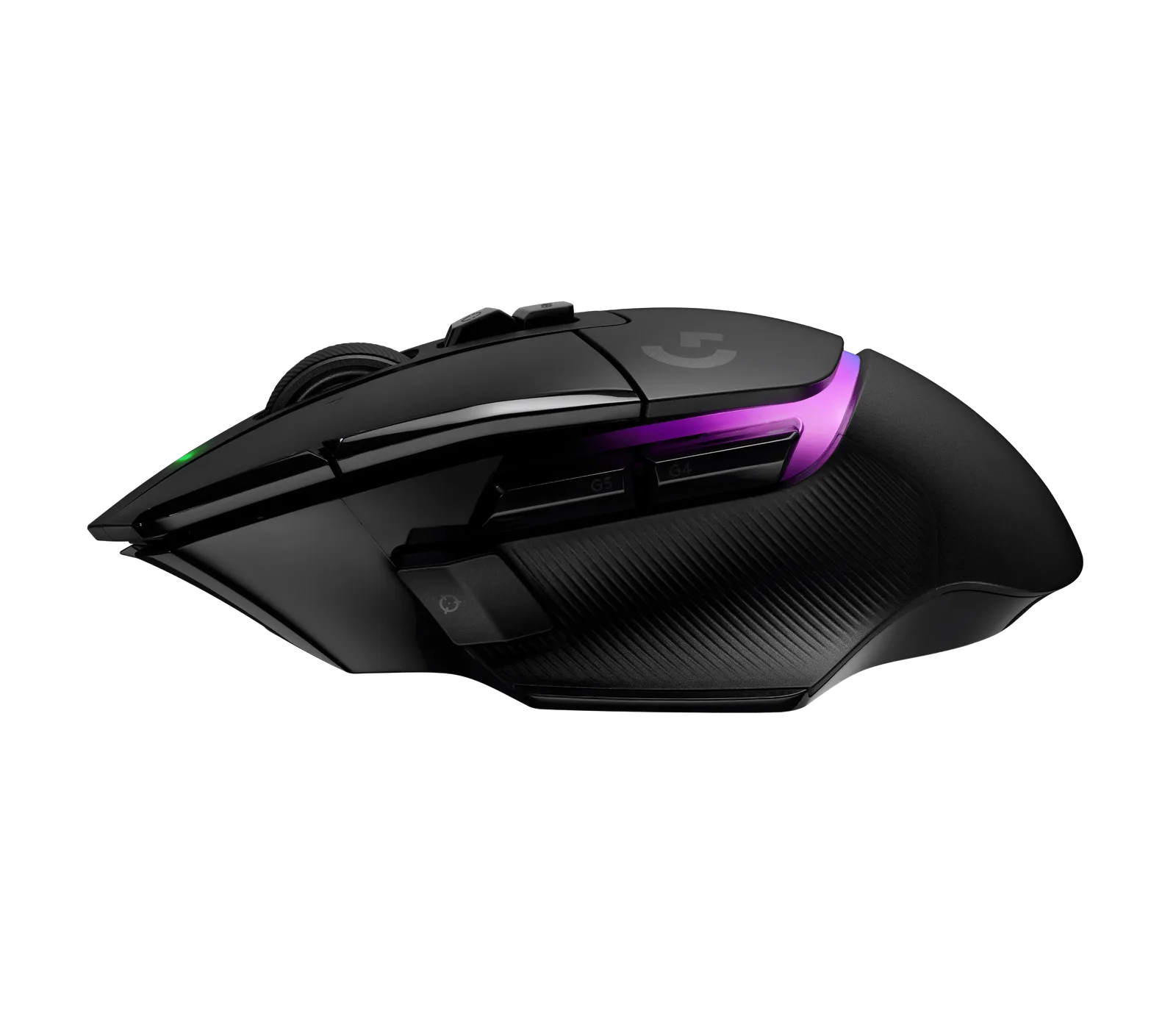
The Logitech offers 13 programmable controls and the usual G502 layout, with two buttons under the left click, a DPI-shift button and a tilt wheel with a hyper-fast mode and a ratcheted mode. It stores five profiles on the mouse.
The Basilisk V3 Pro lists 11 programmable buttons on the original model (13 controls on the 35K refresh) and a 4-way HyperScroll tilt wheel with tactile, free-spin and Smart-Reel modes. Its Gen-3 optical switches are rated for 90 million clicks with 0.2 ms actuation. The Logitech counters with LIGHTFORCE hybrid switches, which pair an optical trigger with a mechanical click. If you lean on macros, the original Razer has two fewer inputs, but the 35K closes that gap.
The G502 X Plus thumb cluster and ribbed grip. (Image: Logitech G)
Battery and Connectivity: Longer Logitech, More Flexible Razer
Logitech advertises about 130 hours of continuous play on the G502 X Plus over LIGHTSPEED wireless. It connects through a USB-A receiver or a USB-C cable and has no Bluetooth. It is also compatible with the POWERPLAY charging system.
Razer rates the original Basilisk V3 Pro at up to 110 hours on HyperSpeed Wireless and up to 150 hours on Bluetooth. The 35K refresh is rated for up to 140 hours and 210 hours. The Razer is a true tri-mode mouse: 2.4 GHz, Bluetooth and wired USB-C. It also supports wireless charging with a Razer charging puck or Mouse Dock Pro, both sold separately. Heavy RGB use shortens battery life on both.
Software and RGB: G HUB vs Razer Synapse
The G502 X Plus is set up through Logitech G HUB, which handles macros, DPI stages, profile switching and lighting. The Basilisk V3 Pro uses Razer Synapse, which adds Chroma effects across 13 zones and, on the 35K version, scroll tension and acceleration settings. Both save profiles to onboard memory, so your setup follows the mouse to another PC. Pick whichever software you already use for the rest of your gear.
Logitech G502 X Plus vs Razer Basilisk V3 Pro: Full Specs
Feature
Logitech G502 X Plus
Razer Basilisk V3 Pro
Weight
106 g (3.74 oz) Wins
112 g (3.95 oz)
Dimensions (L x W x H)
131.4 x 79.2 x 41.1 mm
130 x 75.4 x 42.5 mm
Sensor
HERO (25,600 DPI on the spec sheet, HERO 44K on the current page)
Focus Pro 30K (Focus Pro 35K Gen-2 on the 35K)
Max DPI
25,600 (44K on the current HERO 44K version)
30,000 (35,000 on the 35K)
Max speed
More than 400 IPS
750 IPS Wins
Polling rate
1,000 Hz
1,000 Hz, up to 8,000 Hz with extra hardware Wins
Programmable buttons
13 controls Wins
11 (13 controls on the 35K)
Switches
LIGHTFORCE hybrid optical-mechanical
Razer Optical Gen-3, 90 million clicks
Connectivity
LIGHTSPEED 2.4 GHz, USB-C
HyperSpeed 2.4 GHz, Bluetooth, USB-C Wins
Battery life
Up to 130 hours Wins
Up to 110 hours (140 hours on the 35K)
Wireless charging
POWERPLAY compatible
Razer puck or Mouse Dock Pro, sold separately
Lighting
LIGHTSYNC RGB, 8 zones
Chroma RGB, 13 zones with underglow
Onboard profiles
5
5
Warranty
2 years
2 years
And the Winner Is…
WinnerRazer Basilisk V3 Pro
The Logitech G502 X Plus has real strengths. It is lighter, it advertises a longer battery life, and it gives you 13 programmable controls without paying for a refresh. If weight and macro buttons are your priorities, it is an easy pick. But the Razer Basilisk V3 Pro does more out of the box. It adds Bluetooth, a free-spin tilt wheel, a route to 8,000 Hz polling and wireless charging, and the current 35K version closes the button and battery gaps. That is why it takes the Logitech G502 X Plus vs Razer Basilisk V3 Pro matchup for most readers. Choose the G502 X Plus if you want the lightest shell, never use Bluetooth and already own a POWERPLAY mat.
Final Thoughts on the Logitech G502 X Plus vs Razer Basilisk V3 Pro
Go with the Razer Basilisk V3 Pro if you want one ergonomic mouse for a desktop, a laptop and a high-refresh shooter setup. Pick the Logitech G502 X Plus if you want the classic G502 shape at a lower weight and your hands like a lot of buttons. If a larger palm is the deciding factor, see our best gaming mouse for large hands, or read how another Razer flagship stacks up in Razer Viper V3 Pro vs DeathAdder V3 Pro.
I'm Sean, and I write the comparisons on GameCuki. I cover anything gamers weigh up before buying: consoles and handhelds, PC components and gaming laptops, monitors, controllers, headsets and accessories, plus subscriptions and services like Game Pass and PlayStation Plus. I put both options on the same checklist, using official specs, professional reviews and owner feedback, and I only mention what owners say when at least two of them report the same thing. Every comparison ends with one clear verdict and the type of player each option suits. I don't accept free products or payment from brands, and what I write comes from research, not my own use of the products. You can read my full process on our How We Review page.
Areas of Focus
Controller Match-UpsHeadset Match-UpsConsole vs. ConsoleSpecs & Latency