GameCuki is reader-supported. When you buy through links on our site, we may earn an affiliate commission at no extra cost to you. As an Amazon Associate I earn from qualifying purchases. Learn more.
Both controllers promise drift-resistant sticks and extra buttons for PC, but they pull in opposite directions. The GameSir G7 Pro vs Scuf Envision Pro question is really about how much hardware you want to program: a lean pad that works in minutes, or a Windows-only controller with eleven more inputs than a standard gamepad. Platforms, buttons, software, sticks and battery all point one way or the other.
Best Overall
GameSir G7 Pro
Bottom LineThe easier controller to recommend, with TMR sticks, Xbox and Android support and a charging dock in the box for far less hassle.
Platforms and Connection: Multi-Device vs. Windows Only
The first filter is where you play. The G7 Pro is an officially licensed Xbox controller. It connects to Xbox Series X/S and Xbox One by cable, to PC over its 2.4G adapter or USB-C, and to Android phones over Bluetooth. That makes it a controller you can carry between a console, a desktop and a phone.
The Scuf Envision Pro V2 is built for Windows 10 and later, and nothing else. It has no console support, and it doesn’t work on Mac or Linux. It connects through a wireless dongle or a USB-C cable. If a PC is the only place you play, that limit costs you nothing. If you might add an Xbox or an Android phone later, the G7 Pro keeps those doors open.
Extra Buttons: Four Inputs vs. Eleven
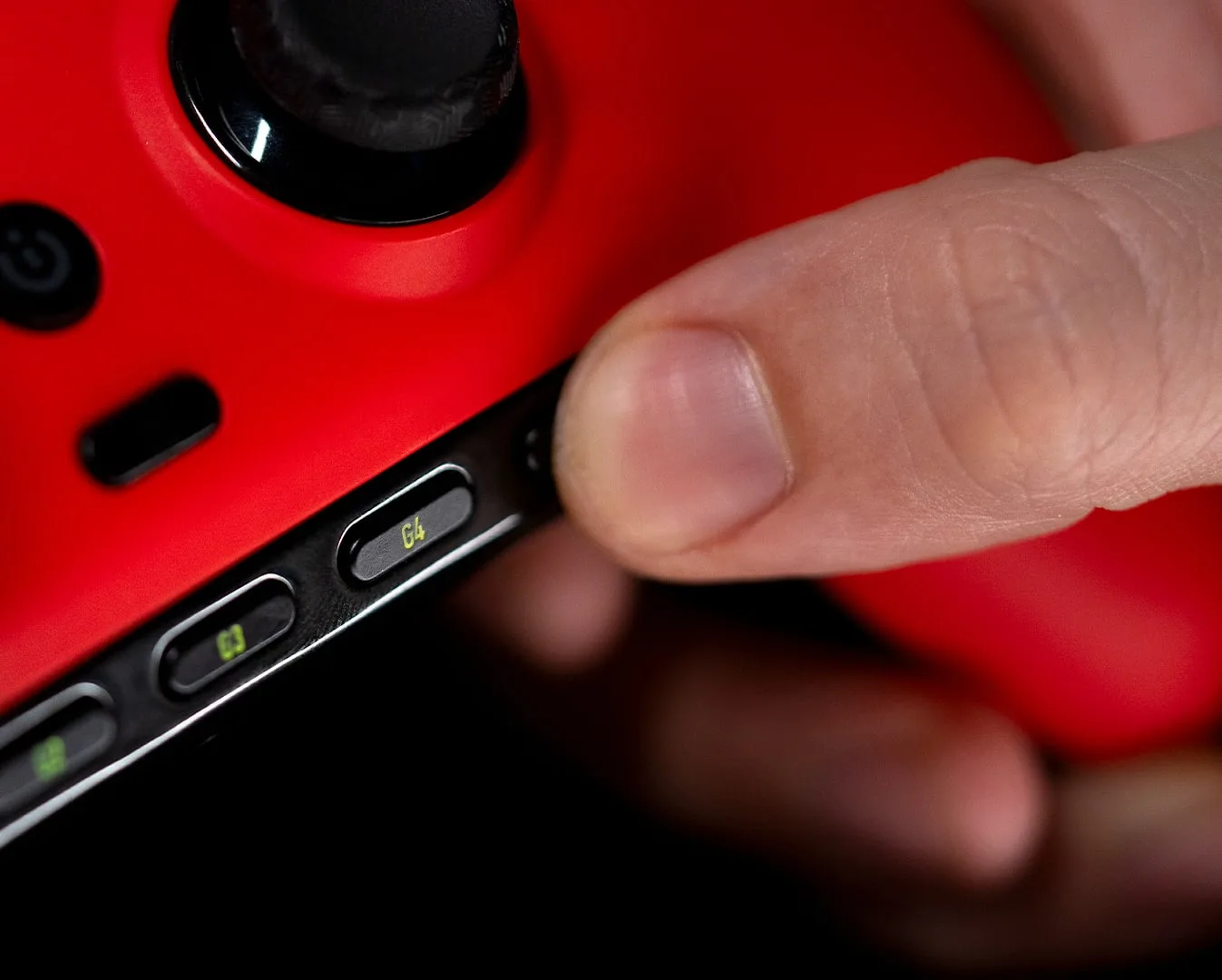
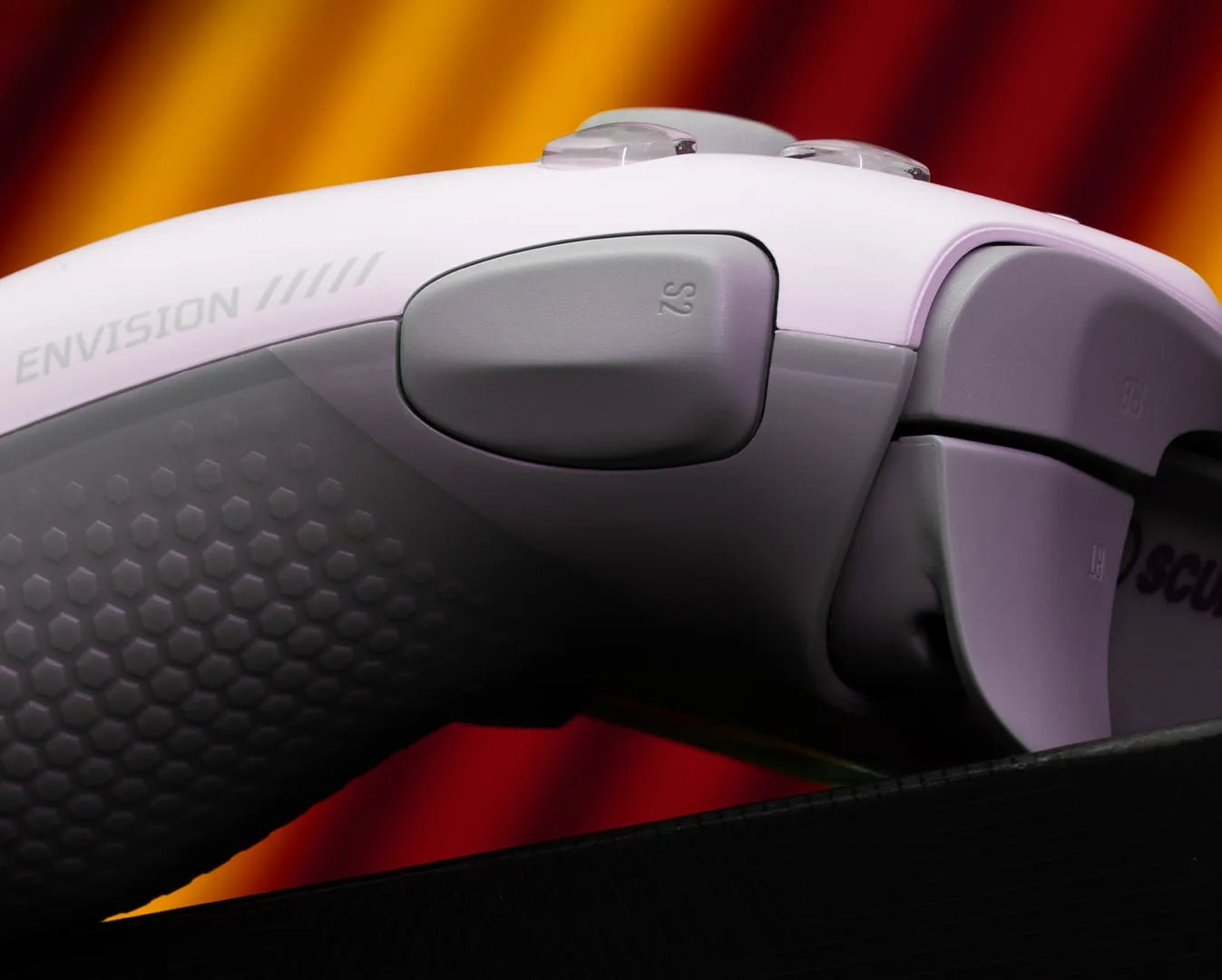
This is the Envision Pro’s whole pitch. Scuf says it adds 11 inputs to a standard layout: four rear paddles, five G-Keys along the bottom edge and two side action (SAX) buttons next to the bumpers. The G7 Pro has four extra inputs, two back buttons and two mini bumpers beside the triggers.
The Envision Pro’s five G-Keys sit along the bottom edge, where a thumb or finger can reach them for voice chat or shortcuts. (Image: Scuf Gaming)
The extra count comes with a catch. The SAX buttons sit where your index knuckles rest, and they are easy to press by accident, especially when you squeeze the lower paddles or pull the triggers hard. They are removable, and the box includes blanking plates, so many players will end up covering them. The lower rear paddles also take firm pressure, which can pull your palm toward those side buttons. If you map a lot of actions to extra inputs, the Scuf gives you more room. If you want a handful of reliable ones, the G7 Pro’s smaller set is easier to live with.
The side action (SAX) button sits just behind the bumper, within easy reach of an index finger. (Image: Scuf Gaming)
Software: Corsair iCUE vs. GameSir Nexus
Both controllers lean on a desktop app, but the Scuf leans harder. Envision Pro needs Corsair iCUE for first-time setup and to unlock everything, including the G-Keys and RGB light bar. Scuf says the controller keeps working once set up and that hardware button mappings still function without iCUE running, and you can switch between onboard profiles from the controller. Even so, iCUE is built like keyboard and mouse macro software, and it can be confusing if you just want to play. Wireless connections can drop out of the app, which can disable the back buttons and G-Keys until it reconnects.
The G7 Pro uses the GameSir Nexus app for remapping, stick curves, deadzones and gyro settings. It is a lighter tool for a simpler controller, and you can use the pad without ever opening it. The G7 Pro has no macro support, which is a real gap for anyone who wants a G-Key style workflow.
Sticks and Triggers: TMR vs. Hall Effect
Both controllers avoid the potentiometer wear that causes stick drift. The G7 Pro uses GameSir’s Mag-Res TMR sticks. The Envision Pro uses Hall effect sticks, and the box adds two extra thumbsticks so you can change the cap height and shape.
The biggest layout difference is the stick position. The G7 Pro follows the Xbox layout, with the left stick high and the right stick low. The Envision Pro puts both sticks level with each other, like a PlayStation controller. If you grew up on a DualShock or DualSense, the Scuf layout will feel familiar. If you use Xbox pads, it takes some adjusting.
Triggers are close. Both give you a long analog pull or a short click. The Scuf’s Omron switches in the face buttons and D-pad feel crisp and mouse-like, while the G7 Pro pairs optical micro-switch face buttons with its own micro-switch trigger stops, so neither side has a clear edge on feel. On speed, the G7 Pro’s cable latency is very low (about 2.4ms on buttons and 2.7ms on sticks, 5.7ms on buttons over its 2.4G dongle). There are no comparable latency figures for the Envision Pro, so we won’t call a winner on speed.
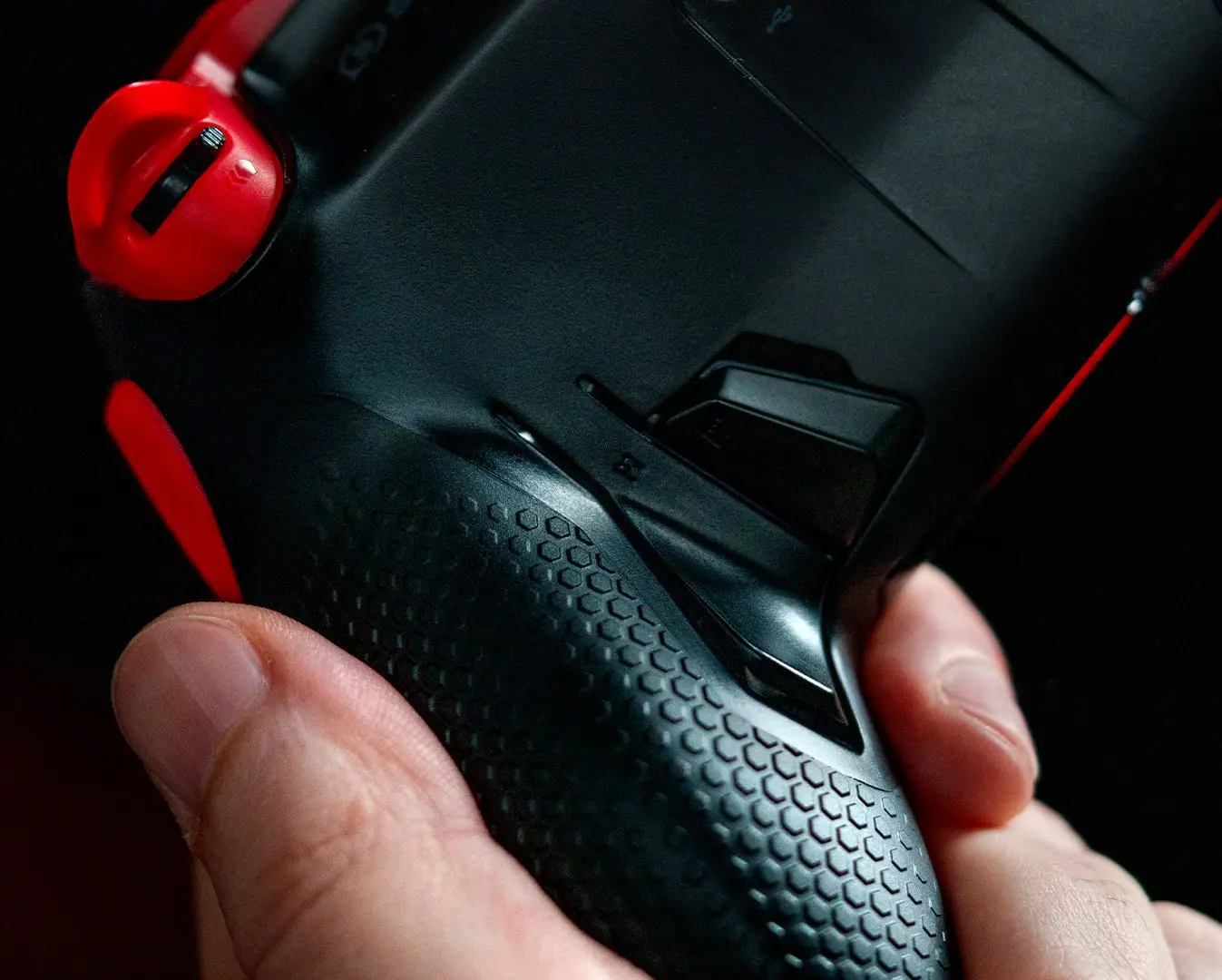
A rear paddle on the Envision Pro, next to Scuf’s hex-pattern grip texture. (Image: Scuf Gaming)
Design, Battery and Extras
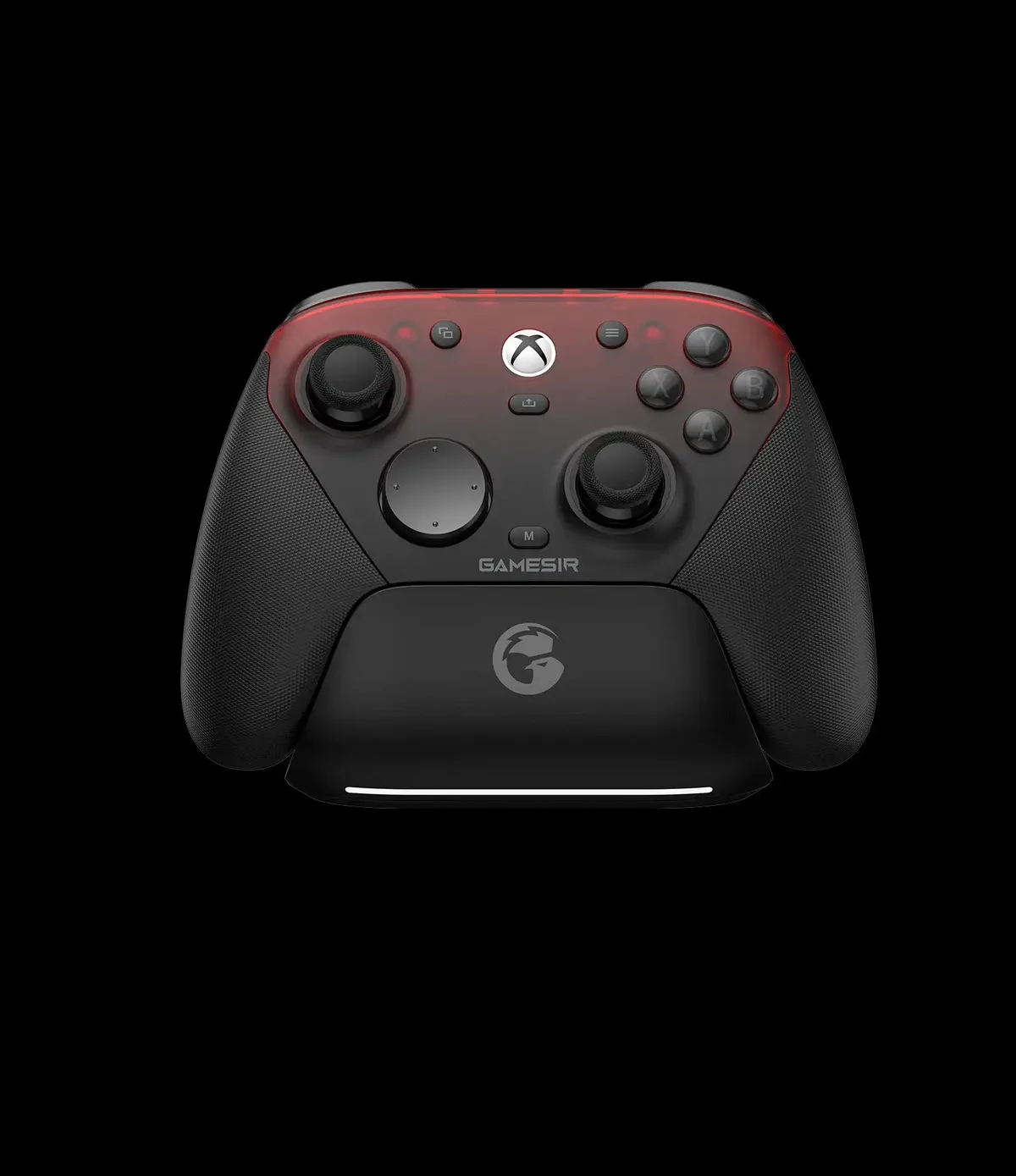
The Envision Pro is the more premium object. It has a hex-pattern rubberized grip, a removable faceplate and a light bar. Its battery is rated at around 19 hours, and it has a 3.5mm headset jack. The G7 Pro has rubberized grips, a three-part magnetic faceplate and a 1200mAh battery, and GameSir includes a charging station that tops it up when you set it down.
The G7 Pro starts charging as soon as you set it on its station. (Image: GameSir)
Rumble is worth a mention. The Scuf’s vibration can feel weak, which may matter if you play racing games or shooters for the feedback. The G7 Pro has four rumble motors, two in the grips and two in the triggers.
Price: The Cost of Eleven Extra Inputs
The Envision Pro V2 sits in a higher price bracket, and the G7 Pro costs noticeably less. Scuf’s price is only worth paying if you will actually use the G-Keys, SAX buttons and iCUE profiles. If you won’t, you are paying for inputs you leave blank. Check the live price on each product page before you decide, since both move around with sales.
GameSir G7 Pro vs Scuf Envision Pro: Full Specs
Feature
GameSir G7 Pro
Scuf Envision Pro V2
Platforms
Xbox Series X/S, Xbox One, PC, Android
Windows 10 and later only
Connection
Wired on Xbox, 2.4G or wired on PC, Bluetooth on Android
Wireless dongle or USB-C cable
Sticks
GameSir Mag-Res TMR, Xbox layout
Hall effect, symmetrical layout, interchangeable caps
Triggers
Hall effect with micro-switch trigger stops
Adjustable instant triggers (long pull or short click)
Face buttons
Optical micro-switch
Omron mechanical switches Wins
Extra inputs
2 back buttons + 2 mini bumpers
4 rear paddles + 5 G-Keys + 2 side buttons Wins
Software
GameSir Nexus
Corsair iCUE (required for setup)
Macros
None
Yes, through iCUE Wins
Audio
3.5mm jack
3.5mm jack
Rumble
4 motors (grips and triggers)
Not listed
Faceplate
Three-part magnetic faceplate
Removable faceplate
Battery
1200mAh, charging station included
About 19 hours
Weight
272g Wins
285g
Specs come from GameSir’s and Scuf’s official product pages. Make sure you compare the standard G7 Pro, which plays wirelessly on PC and connects to Xbox by cable, with the wireless Envision Pro V2.
And the Winner Is…
WinnerGameSir G7 Pro
The Envision Pro does one thing the G7 Pro can’t: it gives a PC player more mappable inputs than almost any controller, with crisp Omron buttons and a symmetrical layout that suits PlayStation players. But it asks a lot back. iCUE is clunky, wireless can lose its connection to the app, the side buttons are easy to hit by accident, and it works on nothing but Windows. The G7 Pro is the one most people should buy. It costs less, uses TMR sticks, runs on Xbox, PC and Android, and comes with a charging station. If you play only on PC, want macros and G-Keys, and will happily spend an evening in iCUE, pick the Scuf. Everyone else should take the G7 Pro in this GameSir G7 Pro vs Scuf Envision Pro matchup.
Is the Scuf Envision Pro Worth It Over the G7 Pro?
Only if you will use what makes it different. A player who wants keyboard-style hotkeys on a controller, with every spare finger mapped, gets something the G7 Pro can’t offer. Everyone else pays more for inputs they will leave blank and for software they would rather not run. If you are shopping for a drift-free pad more generally, our guide to the best Hall effect controllers covers other options, and our G7 Pro vs G7 SE comparison shows how GameSir’s own lineup compares.
I'm Sean, and I write the comparisons on GameCuki. I cover anything gamers weigh up before buying: consoles and handhelds, PC components and gaming laptops, monitors, controllers, headsets and accessories, plus subscriptions and services like Game Pass and PlayStation Plus. I put both options on the same checklist, using official specs, professional reviews and owner feedback, and I only mention what owners say when at least two of them report the same thing. Every comparison ends with one clear verdict and the type of player each option suits. I don't accept free products or payment from brands, and what I write comes from research, not my own use of the products. You can read my full process on our How We Review page.
Areas of Focus
Controller Match-UpsHeadset Match-UpsConsole vs. ConsoleSpecs & Latency