

If your palm leaves a damp patch on your mouse pad halfway through a ranked match, the best gaming mouse pad for sweaty hands is one that keeps the same glide from the first round to the last. Cloth pads soak up sweat and slow down right where your hand rests, while glass and hard pads shrug it off but can make your skin drag instead. The 12 pads here each handle moisture differently, from tempered glass and hard polymer to hybrid and water-repellent cloth.
Best Gaming Mouse Pad for Sweaty Hands
GameCuki is reader-supported. When you buy through links on our site, we may earn an affiliate commission at no extra cost to you. As an Amazon Associate I earn from qualifying purchases. Learn more.
Our Top Picks

Best Overall
Razer Atlas
Bottom line: The best mouse pad for sweaty hands for most players, a big tempered-glass surface that sweat can't soak into and that wipes clean in seconds.
- Glass doesn't absorb sweat, so the glide stays the same across the whole pad
- Grime and sweat wipe straight off
- Coating keeps the surface scratch-resistant
- Quieter than typical glass pads
- CNC-milled, rounded edges
- Big 17.7 x 15.8 in surface for low sensitivity
- Expensive
- Large and heavy, so measure your desk first
- Fast glass surface takes time to adjust to

Best Budget Glass Pad
XVX Black Glass Mousepad 4.0
Bottom line: The cheapest way to find out whether glass fixes your sweaty-hand problem, a micro-etched tempered-glass pad that even comes with mouse feet.
- Much cheaper than premium glass pads
- Non-absorbent glass surface
- Mouse skates included for glass
- Relatively quiet glide
- Full non-slip rubber base
- Micro-etched tempered glass
- Smaller than the premium glass pads here
- Sold under the lesser-known GMKWTL brand

Best Speed Glass Pad
Wallhack SP-005
Bottom line: A slim, fast glass pad for tracking-heavy games, with a tapered 2.5 mm profile and a full kit of skates and cleaning cloth in the box.
- Very low friction for fast tracking
- Thin, tapered edge is easier on the wrist
- Skates and microfiber kit included
- Large surface for low sensitivity
- Tapered 2.5 mm glass sits close to the desk
- Silicone base with concave grip zones
- Expensive
- Bare, sweaty forearms can drag on glass, so a sleeve helps

Best Glass Pad for Control
Wallhack CR-005
Bottom line: The glass pad for players who want cloth-like stopping power without the sweat problems of cloth, as long as your mouse sensor gets along with it.
- Friction profile close to a cloth pad
- Resistance increases as you press down for micro-adjustments
- Easy move from cloth to glass
- Same full accessory kit as the SP-005
- Crater control texture on non-absorbent glass
- Tapered 2.5 mm edge
- Skates and microfiber kit included
- Expensive
- Cursor jumping has been reported with Logitech HERO 2 sensor mice
- Mice can sound loud unless the pad and skates stay clean

Best Compact Glass Pad
Pulsar Superglide Glass Mousepad v3 (L)
Bottom line: A smaller, desk-friendly glass pad with rounded edges and a full silicone base, plus 16 mouse dots so you can tune how fast it feels.
- Chemically strengthened aluminosilicate glass resists scratches
- Softly rounded edges are easier on your wrist
- Mouse dots included to adjust friction
- Full silicone base prevents center flex
- Type-S speed texture
- Compact 13 x 16.5 in size fits smaller desks
- Smaller surface than the Razer or Wallhack pads
- Speed texture is very fast for control-focused players

Best Quiet Glass Pad
ASUS ROG Moonstone Ace L
Bottom line: A matte tempered-glass pad designed for quieter swipes, a good fit if glass appeals for sweat but loud mouse noise is a dealbreaker.
- Noise-reducing glass surface
- Full silicone base keeps it from sliding
- Impact- and scratch-resistant tempered glass
- Easy to wipe clean
- Matte surface
- Available in white and black
- Mixed durability reports, including a few of the glass warping after months
- Pricey
Best Budget Hard Pad
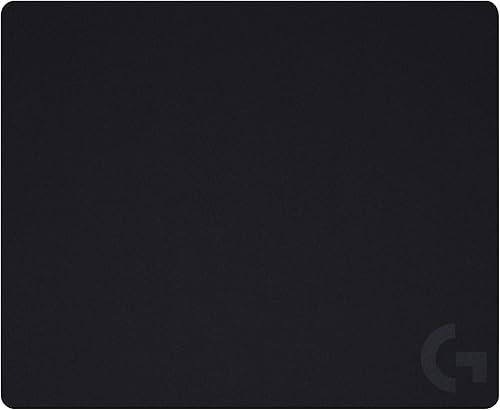
Logitech G440 Hard Gaming Mouse Pad
Bottom line: An inexpensive hard polymer pad that sweat can't soak into, the simplest upgrade from a soggy cloth pad if you don't want to pay for glass.
- Very affordable
- Hard surface doesn't absorb sweat and is easy to clean
- Tuned for Logitech G sensors
- Stays put on the desk
- Low-friction hard polymer surface
- Multi-layer construction with a polymer core
- 1-year warranty
- Edges can feel sharp on the wrist
- Some reports of the top layer peeling after months

Best Hybrid Pad
Razer Strider (XXL)
Bottom line: The best middle ground for sweaty hands, a water-resistant hybrid surface that glides like a hard pad but rolls up and feels soft under your arm.
- Water-resistant surface wipes clean
- Hard-pad glide with a soft base under your wrists
- Desk-size, so your forearm stays on the treated surface
- Rollable without warping
- 3 mm soft base for bare arms
- Anti-fray stitched edges
- Rough texture can feel odd if you're used to soft cloth
- Less stopping power than a control cloth pad

Best Water-Repellent Cloth Pad
ASUS ROG Scabbard II (Extended)
Bottom line: The cloth pad with the best-documented water resistance here, a coated weave that repels sweat and spills while keeping a balanced cloth glide.
- Water repellency rated AATCC Grade 100 for water and Grade 2.5 for oil
- Cloth feel with a good balance of speed and control
- Flat-stitched edges are comfortable on the wrist
- Covers your whole desk
- Repels oil and dust as well as water
- Surface can stain
- Some reports of the top layer separating from the base

Best Budget Spill-Proof Cloth
Corsair MM350 PRO (Extended XL)
Bottom line: An affordable desk-size cloth pad with a spill-proof coating, the easiest way to stop sweat from soaking in if you love a thick, soft pad.
- Spill-proof coating makes liquids bead up
- Thick 4 mm base is comfortable for long sessions
- Huge desk-size surface
- Affordable
- Stain-resistant micro-weave surface
- 360-degree anti-fray stitching
- Not fully waterproof
- Not the smoothest glide for competitive aim

Best Control Cloth Pad
X-raypad Aqua Control Plus
Bottom line: A control-focused cloth pad that X-raypad designs specifically for sweaty hands, with an uncoated fabric meant to keep the same feel when damp.
- Designed and marketed for players with sweaty hands
- Precise, controlled cloth feel
- Soft, flat stitched edges
- Washable
- Uncoated Amundsen fabric stays consistent when damp
- Large 900 x 400 mm surface
- Non-slip rubber foam base
- Soft pad, not ideal if you press down hard
Best Cooling Fabric Pad
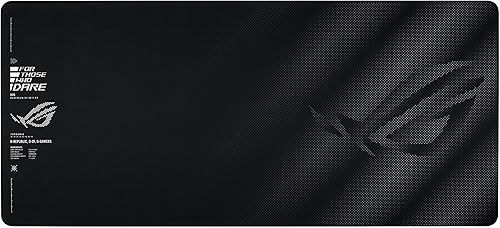
ASUS ROG Sheath II (XXL)
Bottom line: A desk-size cloth pad with a cooling fabric meant to keep your palm and forearm cooler, a different angle on fighting sweat at the source.
- Cooling fabric aims to keep your skin cooler
- Heat dissipates 18% faster than standard materials
- Coated weave is 1.5 times smoother than standard fabric
- Covers your whole desk
- Flat-stitched edges
- No water-repellency rating listed
Table of Contents
Why Sweat Ruins Mouse Pad Glide
Sweat is mostly water, but it also carries salt and skin oils. On a regular cloth pad, that moisture soaks into the weave under your palm and wrist. The damp area grabs the mouse feet harder than the dry area around it, so the same flick travels a different distance depending on where your mouse is. Once the pad dries, salt and oil stay behind in the fibers and slowly build up into “muddy” slow spots that throw off your aim.
That’s why a pad that feels perfect on day one can feel uneven a month later, and why washing only buys you a few days if the surface keeps absorbing. The fix is a surface that doesn’t let sweat in at all (glass or hard plastic), one that’s sealed or treated to repel it (hybrid and coated cloth), or a fabric designed to stay consistent and wash well when it does get damp.
What to Look for in a Mouse Pad for Sweaty Hands
A Non-Absorbent or Water-Repellent Surface
Tempered glass and hard polymer pads can’t absorb sweat, so their glide doesn’t change in damp spots and a wipe brings them back to normal. Hybrid pads like the Razer Strider and coated cloth pads like the ASUS ROG Scabbard II use a water-resistant surface that makes moisture bead up instead of soaking in. If you want a soft cloth feel, look for a maker that specifically lists water, spill or sweat resistance rather than a generic “premium fabric.”
Speed vs Control
Glass is the fastest surface here, which is great for tracking and flicks but takes some getting used to if you come from a slow cloth pad. Control-tuned glass like the Wallhack CR-005 and cloth pads like the X-raypad Aqua Control Plus give you more stopping power. Pick the one that matches how you aim now, then let the surface handle the sweat.
How Your Arm Touches the Pad
Glass and hard pads keep sweat from changing the mouse glide, but bare, damp skin can stick to a slick surface and pull at your wrist or forearm. That’s why players who switch to glass with sweaty hands so often add a gaming arm sleeve or a thin glove. If you’d rather not wear anything, a hybrid or coated cloth pad is gentler on bare skin.
Size and Base
A desk-size pad keeps your forearm on the same surface as the mouse, so the whole contact area resists sweat, not just the spot under your hand. Smaller glass pads are easier to fit but leave your arm on the desk. Check the base too: glass pads need a full silicone or rubber base to stay put, and very thin hard mats can turn sticky under a damp forearm.
Easy Cleaning
Sweaty hands mean more frequent cleaning, whatever you buy. Glass and hard pads only need a quick wipe with a microfiber cloth. Cloth and hybrid pads should be washable by hand without the surface peeling or the edges fraying, so stitched or flat-stitched edges are worth having.
Best Gaming Mouse Pads for Sweaty Hands: Our Picks in Detail
1
Best Overall
Razer Atlas
Bottom line: The best mouse pad for sweaty hands for most players, a big tempered-glass surface that sweat can't soak into and that wipes clean in seconds.
The Razer Atlas is a tempered-glass mat with a micro-etched surface, and for sweaty hands that glass is the whole point. Sweat sits on top instead of soaking in, so the area under your palm glides exactly like the rest of the pad, and a microfiber wipe between matches resets it.
Pros & Cons
Pros
- Glass doesn't absorb sweat, so the glide stays the same across the whole pad
- Grime and sweat wipe straight off
- Coating keeps the surface scratch-resistant
- Quieter than typical glass pads
- CNC-milled, rounded edges
- Big 17.7 x 15.8 in surface for low sensitivity
Cons
- Expensive
- Large and heavy, so measure your desk first
- Fast glass surface takes time to adjust to
Why We Picked It
Razer coats the glass to resist dirt and scratches and says smudges and grime clean off with a quick wipe. The glide stays smooth and even from edge to edge, without the slow spots cloth develops, and glass doesn't change feel on humid days. It's sold and shipped by Amazon, its 2μm texture is tuned for optical sensors, and at 17.7 x 15.8 inches it gives low-sensitivity players plenty of room.
Who It's For
You play FPS games and your palm sweats through long sessions, so cloth gets muddy and slow. Sweat sits on top of the glass, the glide stays even from edge to edge, and a microfiber wipe between matches resets the surface. The 17.7 x 15.8 inch size gives low-sensitivity swipes plenty of room, and the coated glass is built to last.
Specs & Configurations
- Surface
- tempered glass, 2μm micro-etched texture
- Hardness
- above 7H on the Mohs scale (Razer)
- Size
- 17.7 x 15.8 in
- Thickness
- 0.19 in
- Weight
- 4.4 lb
- Edges
- CNC-milled, rounded
- Colors
- black, white
Get It Now
Check Price on Amazon
2
Best Budget Glass Pad
XVX Black Glass Mousepad 4.0
Bottom line: The cheapest way to find out whether glass fixes your sweaty-hand problem, a micro-etched tempered-glass pad that even comes with mouse feet.
The XVX Glass Mousepad 4.0 brings the main benefit of glass, a surface sweat can't soak into, at a fraction of the price of the Razer, Wallhack or Pulsar pads.
Pros & Cons
Pros
- Much cheaper than premium glass pads
- Non-absorbent glass surface
- Mouse skates included for glass
- Relatively quiet glide
- Full non-slip rubber base
- Micro-etched tempered glass
Cons
- Smaller than the premium glass pads here
- Sold under the lesser-known GMKWTL brand
Why We Picked It
It uses micro-etched tempered glass on a full rubber base, at a mid-size 410 x 310 mm. The box includes mouse skates made for glass, which matters because standard feet can feel scratchy or loud on it. The glide is effortless and fairly quiet for glass, and it's the best value glass pad we found.
Who It's For
You have sweaty hands and want to try glass before committing to a premium pad. The micro-etched tempered glass keeps sweat on the surface, the full rubber base stops it from sliding, and the mouse skates made for glass are already in the box. At 410 x 310 mm it fits most desks and glides quietly.
Specs & Configurations
- Surface
- micro-etched tempered glass
- Size
- 410 x 310 mm (16.2 x 12.2 in)
- Thickness
- 4 mm
- Base
- full non-slip rubber
- Extras
- mouse skates included
Get It Now
Check Price on Amazon
3
Best Speed Glass Pad
Wallhack SP-005
Bottom line: A slim, fast glass pad for tracking-heavy games, with a tapered 2.5 mm profile and a full kit of skates and cleaning cloth in the box.
The Wallhack SP-005 is a speed glass pad built for low-friction tracking, and its glass is only 2.5 mm thick with a tapered edge, so it sits closer to the desk than thicker slabs.
Pros & Cons
Pros
- Very low friction for fast tracking
- Thin, tapered edge is easier on the wrist
- Skates and microfiber kit included
- Large surface for low sensitivity
- Tapered 2.5 mm glass sits close to the desk
- Silicone base with concave grip zones
Cons
- Expensive
- Bare, sweaty forearms can drag on glass, so a sleeve helps
Why We Picked It
Glass keeps the glide consistent no matter how damp your palm gets, and Wallhack includes a microfiber maintenance kit, so you have everything to wipe it down between matches. The box also has PTFE and UHMW-PE skates, which saves buying glass-friendly feet separately. Plan on a sleeve or glove, though. Bare, damp skin drags on glass, and that's the fix most sweaty-handed glass users settle on.
Who It's For
You play tracking-heavy FPS games and want the fastest, most consistent surface you can get. The speed glass keeps the glide the same however damp your palm gets, the 2.5 mm tapered edge sits close to the desk, and the box includes PTFE and UHMW-PE skates, a microfiber kit and a case. Add a sleeve and you are set for long sessions.
Specs & Configurations
- Surface
- tempered glass, speed (faceted micro-pattern)
- Size
- 510 x 440 mm (20.1 x 17.3 in)
- Glass thickness
- 2.5 mm, tapered edge
- Base
- silicone with concave grip zones
- In the box
- EVA-lined case, PTFE and UHMW-PE skates, microfiber maintenance kit
Get It Now
Check Price on Amazon
4
Best Glass Pad for Control
Wallhack CR-005
Bottom line: The glass pad for players who want cloth-like stopping power without the sweat problems of cloth, as long as your mouse sensor gets along with it.
The Wallhack CR-005 is a control glass pad. Its Crater surface is designed to feel like cloth, with more resistance when you press down, so stopping on a head feels familiar if you're coming from a soft pad.
Pros & Cons
Pros
- Friction profile close to a cloth pad
- Resistance increases as you press down for micro-adjustments
- Easy move from cloth to glass
- Same full accessory kit as the SP-005
- Crater control texture on non-absorbent glass
- Tapered 2.5 mm edge
- Skates and microfiber kit included
Cons
- Expensive
- Cursor jumping has been reported with Logitech HERO 2 sensor mice
- Mice can sound loud unless the pad and skates stay clean
Why We Picked It
Sweaty-handed players often stay on cloth because glass feels too fast, and the CR-005 solves that while keeping the non-absorbent glass surface. It starts moving more easily than a soft Artisan-style cloth pad but still gives you plenty of control to stop. There is one real caveat: there's a report of cursor jumps with Logitech mice that use the HERO 2 sensor, such as the Superstrike X2 and Superlight, an issue the same report says the SP-005 doesn't share.
Who It's For
You use a cloth pad for its stopping power but your sweaty hands keep ruining it. The Crater surface feels like cloth, with more resistance as you press down, so stopping on a head is familiar, while the glass never soaks up moisture. The case, skates and microfiber kit are all in the box.
Specs & Configurations
- Surface
- tempered glass, Crater control texture
- Size
- 510 x 440 mm (20.1 x 17.3 in)
- Glass thickness
- 2.5 mm, tapered edge
- Base
- silicone with concave grip zones
- In the box
- EVA-lined case, PTFE and UHMW-PE skates, microfiber maintenance kit
Get It Now
Check Price on Amazon
5
Best Compact Glass Pad
Pulsar Superglide Glass Mousepad v3 (L)
Bottom line: A smaller, desk-friendly glass pad with rounded edges and a full silicone base, plus 16 mouse dots so you can tune how fast it feels.
The Pulsar Superglide v3 uses aluminosilicate glass, a chemically strengthened display glass, with a refined speed texture and softer rounded edges than older Superglide pads.
Pros & Cons
Pros
- Chemically strengthened aluminosilicate glass resists scratches
- Softly rounded edges are easier on your wrist
- Mouse dots included to adjust friction
- Full silicone base prevents center flex
- Type-S speed texture
- Compact 13 x 16.5 in size fits smaller desks
Cons
- Smaller surface than the Razer or Wallhack pads
- Speed texture is very fast for control-focused players
Why We Picked It
Like every glass pad here, it can't absorb sweat, and the full silicone base keeps it from sliding or flexing in the middle. Pulsar includes 16 UHMW-PE mouse dots, and changing how many you use lets you dial the glide speed up or down. At 13 x 16.5 inches, it fits desks where a big glass slab won't.
Who It's For
You play with higher sensitivity on a smaller desk and want a non-absorbent glass surface. The 13 x 16.5 inch size fits where bigger slabs will not, the full silicone base keeps it from sliding or flexing, and softly rounded edges are easy on your wrist. With 16 mouse dots in the box, you can add or remove them to dial the glide speed up or down.
Specs & Configurations
- Surface
- aluminosilicate glass, Type-S speed texture
- Size
- 13 x 16.5 in (L)
- Base
- fully molded high-density silicone
- Edges
- soft R-edge machining
- In the box
- 16 UHMW-PE 6.6 mm mouse dots
- Weight
- 0.72 kg
Get It Now
Check Price on Amazon
6
Best Quiet Glass Pad
ASUS ROG Moonstone Ace L
Bottom line: A matte tempered-glass pad designed for quieter swipes, a good fit if glass appeals for sweat but loud mouse noise is a dealbreaker.
The ASUS ROG Moonstone Ace L is a matte tempered-glass pad with a noise-reducing design, since glass pads can get loud under a mouse.
Pros & Cons
Pros
- Noise-reducing glass surface
- Full silicone base keeps it from sliding
- Impact- and scratch-resistant tempered glass
- Easy to wipe clean
- Matte surface
- Available in white and black
Cons
- Mixed durability reports, including a few of the glass warping after months
- Pricey
Why We Picked It
Its glass surface keeps sweat out of the equation, and ASUS lists it as easy to clean. The full silicone base stops it from shifting during fast swipes, and its surface is smooth and stable. Durability feedback is mixed, though, with a few reports of the glass warping after months of use, so it ranks below the Razer and Wallhack pads.
Who It's For
You want glass for sweaty hands but share a room, stream or care about noise. The matte surface is designed to quiet your swipes, the full silicone base stops it from shifting during fast flicks, and the tempered glass wipes clean easily. At 500 x 400 mm, it gives your mouse a comfortable amount of room.
Specs & Configurations
- Surface
- matte tempered glass
- Size
- 500 x 400 mm (19.7 x 15.7 in)
- Base
- full anti-slip silicone
- Weight
- 4.2 lb
- Colors
- white, black
Get It Now
Check Price on Amazon
7
Best Budget Hard Pad
Logitech G440 Hard Gaming Mouse Pad
Bottom line: An inexpensive hard polymer pad that sweat can't soak into, the simplest upgrade from a soggy cloth pad if you don't want to pay for glass.
The Logitech G440 is a hard polymer pad with low friction and a consistent texture, and it costs a fraction of any glass pad here.
Pros & Cons
Pros
- Very affordable
- Hard surface doesn't absorb sweat and is easy to clean
- Tuned for Logitech G sensors
- Stays put on the desk
- Low-friction hard polymer surface
- Multi-layer construction with a polymer core
- 1-year warranty
Cons
- Edges can feel sharp on the wrist
- Some reports of the top layer peeling after months
Why We Picked It
A hard surface solves the main sweat problem the same way glass does: there's no fabric to soak up moisture, so the glide doesn't change in damp spots and a wipe cleans it. It's smooth, easy to clean and can last for years. The trade-offs are real, though: the edges are sharp against your wrist, and the plastic layer can peel on some units.
Who It's For
You are on a budget and tired of a soggy cloth pad. The hard polymer surface has no fabric to soak up moisture, so the glide stays the same and a wipe cleans it. At 340 x 280 mm with a non-slip rubber base, it stays put on the desk, and the surface is tuned for Logitech G sensors.
Specs & Configurations
- Surface
- hard polymer, low friction
- Size
- 340 x 280 mm (13.4 x 11 in)
- Base
- rubber, non-slip
- Construction
- multi-layer with polymer core
- Warranty
- 1 year (Logitech)
Get It Now
Check Price on Amazon
8
Best Hybrid Pad
Razer Strider (XXL)
Bottom line: The best middle ground for sweaty hands, a water-resistant hybrid surface that glides like a hard pad but rolls up and feels soft under your arm.
The Razer Strider is a hybrid mat, a firm, smooth gliding surface on a 3 mm soft base. Razer says its water-resistant surface shrugs off spills and makes routine cleaning a quick wipe.
Pros & Cons
Pros
- Water-resistant surface wipes clean
- Hard-pad glide with a soft base under your wrists
- Desk-size, so your forearm stays on the treated surface
- Rollable without warping
- 3 mm soft base for bare arms
- Anti-fray stitched edges
Cons
- Rough texture can feel odd if you're used to soft cloth
- Less stopping power than a control cloth pad
Why We Picked It
It's the pad to get if glass feels too extreme. The surface doesn't drink in sweat the way plain cloth does, and its glide holds up to humidity far better than plain cloth. Because it's a full desk mat, your forearm rests on the same water-resistant surface as your mouse, and the soft base is more comfortable for bare arms than glass.
Who It's For
You have sweaty hands but find glass too extreme and want something softer under your arms. The water-resistant hybrid surface glides like a hard pad, wipes clean in seconds, and holds up to humidity better than plain cloth. At 37 x 16.2 inches your forearm rests on the same treated surface as your mouse, and it rolls up for travel.
Specs & Configurations
- Surface
- hybrid, firm gliding, water-resistant
- Size
- 37 x 16.2 in (XXL)
- Thickness
- 3 mm
- Base
- grooved anti-slip
- Edges
- anti-fray stitching
- Portability
- rollable
Get It Now
Check Price on Amazon
9
Best Water-Repellent Cloth Pad
ASUS ROG Scabbard II (Extended)
Bottom line: The cloth pad with the best-documented water resistance here, a coated weave that repels sweat and spills while keeping a balanced cloth glide.
The ASUS ROG Scabbard II is a cloth pad with a triple-guard coating that repels water, oil and dust. ASUS rates its fabric at AATCC Grade 100 for water and Grade 2.5 for oil resistance, the most specific water rating of any pad here.
Pros & Cons
Pros
- Water repellency rated AATCC Grade 100 for water and Grade 2.5 for oil
- Cloth feel with a good balance of speed and control
- Flat-stitched edges are comfortable on the wrist
- Covers your whole desk
- Repels oil and dust as well as water
Cons
- Surface can stain
- Some reports of the top layer separating from the base
Why We Picked It
If you want to stay on cloth, a properly coated surface is the next best thing to glass, since sweat beads up instead of sinking into the weave. ASUS also says the coating makes it 1.5 times smoother than standard fabrics, and it strikes a good balance of low initial friction and enough control to stop precisely. Durability is the weak spot, with several reports of the top mat coming away from the base.
Who It's For
You love the feel of cloth but your sweaty hands soak it through. The coated weave makes sweat bead up instead of sinking in, the balance of speed and control suits most games, and the 35.4 x 14.7 inch surface covers your whole desk. Flat-stitched edges keep your wrist comfortable for long sessions.
Specs & Configurations
- Surface
- coated textile weave, repels water, oil and dust
- Water resistance
- AATCC Grade 100 (oil: Grade 2.5)
- Size
- 35.4 x 14.7 in (Extended)
- Thickness
- 3 mm
- Edges
- flat-stitched anti-fray
- Also sold in Medium
Get It Now
Check Price on Amazon
10
Best Budget Spill-Proof Cloth
Corsair MM350 PRO (Extended XL)
Bottom line: An affordable desk-size cloth pad with a spill-proof coating, the easiest way to stop sweat from soaking in if you love a thick, soft pad.
The Corsair MM350 PRO is a thick, desk-size cloth pad with a spill-proof, stain-resistant coating. Corsair says liquids slide right off, so it wipes clean even after an accident.
Pros & Cons
Pros
- Spill-proof coating makes liquids bead up
- Thick 4 mm base is comfortable for long sessions
- Huge desk-size surface
- Affordable
- Stain-resistant micro-weave surface
- 360-degree anti-fray stitching
Cons
- Not fully waterproof
- Not the smoothest glide for competitive aim
Why We Picked It
That same coating helps with sweat. It isn't fully waterproof, but water beads up on it and spills wipe off easily. The 4 mm rubber base is comfortable for long sessions, and Corsair says the dense micro-weave surface gives a faster, smoother glide. It's the best value on this list if you want a soft, full-desk pad.
Who It's For
You have mildly sweaty hands and love a thick, soft, desk-size pad. The 4 mm plush rubber base is comfortable through long sessions, the spill-proof coating makes liquids bead up so accidents wipe clean, and the 36.6 x 15.7 inch surface gives your mouse and keyboard all the room they need.
Specs & Configurations
- Surface
- micro-weave fabric, spill-proof and stain-resistant coating
- Size
- 930 x 400 mm (36.6 x 15.7 in)
- Thickness
- 4 mm plush rubber
- Edges
- 360-degree anti-fray stitching
- Also sold as
- MM300 PRO (3 mm)
Get It Now
Check Price on Amazon
11
Best Control Cloth Pad
X-raypad Aqua Control Plus
Bottom line: A control-focused cloth pad that X-raypad designs specifically for sweaty hands, with an uncoated fabric meant to keep the same feel when damp.
The X-raypad Aqua Control Plus takes a different approach from coated pads. It uses an uncoated Amundsen fabric with a rough, pear-skin texture that X-raypad says stays consistent even when your hands sweat or the room is humid.
Pros & Cons
Pros
- Designed and marketed for players with sweaty hands
- Precise, controlled cloth feel
- Soft, flat stitched edges
- Washable
- Uncoated Amundsen fabric stays consistent when damp
- Large 900 x 400 mm surface
- Non-slip rubber foam base
Cons
- Soft pad, not ideal if you press down hard
Why We Picked It
It's one of the few cloth pads whose maker lists sweat resistance as a core feature, not a side note, and it's built for low-sensitivity FPS players who want control. X-raypad also lists it as washable. The soft foam base and flat, elastic edge stitching also keep it comfortable for long sessions.
Who It's For
You play tactical shooters at low sensitivity and want a slow, controlled cloth pad that does not change when your hands get damp. The uncoated fabric has a rough texture designed to feel the same in humid rooms, the 900 x 400 mm surface covers your desk, and you can toss it in the wash when it needs a refresh.
Specs & Configurations
- Surface
- uncoated Amundsen fabric, sweat-resistant
- Size
- 900 x 400 mm (also sold in smaller sizes)
- Thickness
- 4 mm
- Base
- single-bubble rubber foam, non-slip
- Edges
- flat, elastic stitching
- Washable
- yes
Get It Now
Check Price on Amazon
12
Best Cooling Fabric Pad
ASUS ROG Sheath II (XXL)
Bottom line: A desk-size cloth pad with a cooling fabric meant to keep your palm and forearm cooler, a different angle on fighting sweat at the source.
The ASUS ROG Sheath II tackles sweat from the other direction. Instead of only resisting moisture, its cooling fabric is designed to pull heat away, and ASUS says it dissipates heat 18% faster than standard materials.
Pros & Cons
Pros
- Cooling fabric aims to keep your skin cooler
- Heat dissipates 18% faster than standard materials
- Coated weave is 1.5 times smoother than standard fabric
- Covers your whole desk
- Flat-stitched edges
Cons
- No water-repellency rating listed
Why We Picked It
Warm skin sweats more, so a cooler surface under your palm and forearm can help during long sessions. The Sheath II also has a coated textile-weave surface that ASUS rates as 1.5 times smoother than standard fabrics, plus flat-stitched edges that sit closer to the surface. It's a good choice if your hands get warm and clammy rather than dripping.
Who It's For
You get warm, clammy hands over long sessions rather than dripping ones. The cooling fabric pulls heat away from your palm and forearm, the coated weave glides smoothly, and the 900 x 400 mm surface covers your desk. Flat-stitched edges sit close to the surface, so your wrist stays comfortable.
Specs & Configurations
- Surface
- cooling fabric, coated textile weave
- Heat dissipation
- 18% faster than standard materials (ASUS)
- Size
- 900 x 400 mm (35.4 x 15.7 in)
- Base
- non-slip rubber
- Edges
- flat-stitched anti-fray
Get It Now
Check Price on AmazonHow to Keep a Mouse Pad Clean When Your Hands Sweat
Even the best surface works better with a little maintenance. These habits come up again and again among sweaty-handed players:
- Wipe it between matches. Keep a microfiber cloth on your desk and wipe the area under your palm and wrist. On glass and hard pads, that’s all it takes to reset the glide.
- Wash cloth pads regularly. Use lukewarm water and a drop of mild dish soap, scrub gently with your palm or a soft cloth, rinse and let the pad air dry flat. Skip the dryer, since heat can damage the rubber base.
- Wash your hands before you play. It removes the skin oils that build up into slow spots.
- Point a fan at your hand. Airflow across your palm and forearm keeps sweat from pooling on the pad.
- Wear a sleeve or glove. An arm sleeve or thin glove stops damp skin from sticking to glass or hard pads. Our best gaming gloves guide covers fingerless options that leave your grip free.
- Rotate the pad. Turning a cloth pad every so often spreads wear and sweat across different areas.
- Fix your mouse grip too. If your mouse slips in a sweaty hand, mouse grip tape adds traction without changing the pad.
Mouse Pads for Sweaty Hands Compared
| Mouse pad | Surface | Size | Sweat or moisture feature | Cleaning |
|---|---|---|---|---|
| Razer Atlas | Tempered glass | 17.7 x 15.8 in | Non-absorbent, coated glass | Wipe |
| XVX Glass 4.0 | Tempered glass | 16.2 x 12.2 in | Non-absorbent glass | Wipe |
| Wallhack SP-005 | Tempered glass (speed) | 20.1 x 17.3 in | Non-absorbent glass | Wipe (kit included) |
| Wallhack CR-005 | Tempered glass (control) | 20.1 x 17.3 in | Non-absorbent glass | Wipe (kit included) |
| Pulsar Superglide v3 (L) | Aluminosilicate glass | 13 x 16.5 in | Non-absorbent glass | Wipe |
| ASUS ROG Moonstone Ace L | Matte tempered glass | 19.7 x 15.7 in | Non-absorbent glass | Wipe |
| Logitech G440 | Hard polymer | 13.4 x 11 in | Non-absorbent hard surface | Wipe |
| Razer Strider (XXL) | Hybrid | 37 x 16.2 in | Water-resistant surface | Wipe |
| ASUS ROG Scabbard II | Coated cloth | 35.4 x 14.7 in | AATCC Grade 100 water repellency | Wipe or hand wash |
| Corsair MM350 PRO | Coated cloth | 36.6 x 15.7 in | Spill-proof coating | Wipe or hand wash |
| X-raypad Aqua Control Plus | Uncoated cloth | 35.4 x 15.7 in | Sweat-resistant fabric (X-raypad) | Washable |
| ASUS ROG Sheath II | Cooling cloth | 35.4 x 15.7 in | Cooling fabric | Hand wash |
Specs and features are from each maker’s listing at the time of writing.
FAQ
What is the best gaming mouse pad for sweaty hands?
For most players, the best gaming mouse pad for sweaty hands is a tempered-glass pad like the Razer Atlas, because sweat can’t soak into glass and a quick wipe restores the glide. If you’d rather stay on a soft surface, the Razer Strider hybrid or the water-repellent ASUS ROG Scabbard II are the best alternatives.
Why does my mouse pad get slow when my hands sweat?
Cloth pads absorb the moisture from your palm and wrist, and damp fibers grab the mouse feet harder than dry ones. When the sweat dries, salt and skin oils stay in the weave and build up into slow, “muddy” spots over time.
Are glass mouse pads good for sweaty hands?
Yes, for the mouse glide. Glass doesn’t absorb anything, so the surface feels the same whether it’s damp or dry. The catch is that bare, sweaty skin can stick to glass, so many players pair a glass pad with an arm sleeve or thin glove.
Are hybrid mouse pads better than cloth for sweaty hands?
Usually, yes. Hybrid pads like the Razer Strider use a firmer, water-resistant surface that doesn’t soak up sweat the way plain cloth does, so the glide stays more consistent over a long session. A cloth pad with a real water-repellent coating, like the ROG Scabbard II, is the closest cloth alternative.
How often should I clean my mouse pad if my hands sweat?
Wipe the surface with a microfiber cloth whenever you notice the glide changing, ideally between matches. Wash a cloth or hybrid pad with lukewarm water and mild soap whenever you notice slow spots, which is about once a week if you play daily.
Will a mouse pad stop my hands from sweating?
No. A pad can only control what happens to the sweat. Glass and hard pads keep it on the surface where you can wipe it off, coated pads repel it, and cooling fabric like the ROG Sheath II aims to keep your skin a little cooler. Pair the right pad with airflow and a sleeve for the best results.
Final Thoughts
Sweaty hands don’t have to wreck your aim if the surface can handle them. Our pick for the best gaming mouse pad for sweaty hands is the Razer Atlas, a glass pad that sweat can’t soak into and that wipes clean between matches. If glass is too fast or too pricey, the Razer Strider gives you most of that consistency on a soft, water-resistant mat, and the Logitech G440 is the cheapest non-absorbent pad on this list. Add a microfiber cloth, a fan and maybe a sleeve, and your aim should feel the same in the last round as it did in the first.