GameCuki is reader-supported. When you buy through links on our site, we may earn an affiliate commission at no extra cost to you. As an Amazon Associate I earn from qualifying purchases. Learn more.
From across the room you could mistake one for the other. HyperX Cloud III vs Cloud Alpha pits two wired headsets with the same aluminum frame and memory foam against each other, at nearly the same price. The Alpha is the long-running favorite with a detachable cable. The Cloud III is the newer design with bigger drivers, a USB option and a mic that gets more attention. The real question is whether those changes matter for how you play.
Best Overall
HyperX Cloud III
Bottom LineThe better pick for most players: a clearer mic, larger drivers and USB-C support for PC and consoles, as long as you can live without a detachable cable.
Bottom LineA simple 3.5 mm headset with a detachable braided cable, worth it if you want an easy-to-replace cable and will use a separate mic setup or accept a weaker mic.
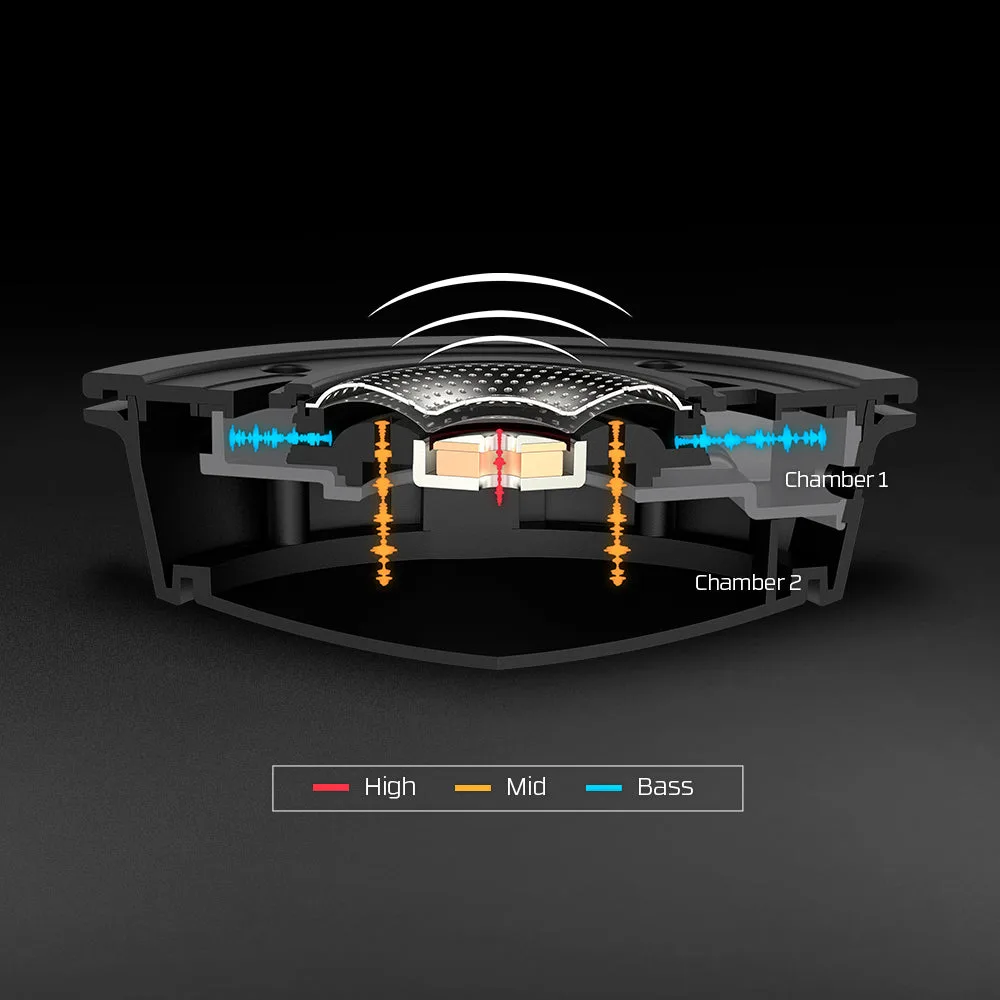
The Cloud Alpha uses custom 50 mm dynamic drivers with a dual-chamber design. HyperX says the second chamber separates bass from the mids and highs so each can be tuned on its own, which reduces distortion. The Cloud III moves to 53 mm dynamic drivers that are angled toward the ear, and HyperX lists a 10 Hz to 21 kHz response against the Alpha’s 13 Hz to 27 kHz.
Those numbers do not decide which one sounds better. The Cloud III’s response tracks a neutral target curve a little more closely than the Alpha’s, so its tuning is the more balanced of the two for games. Neither has noise cancellation for the listener.
The Cloud Alpha’s dual-chamber driver separates bass from mids and highs. (Image: HyperX)
Microphone: Cloud III Is the Clear Step Up
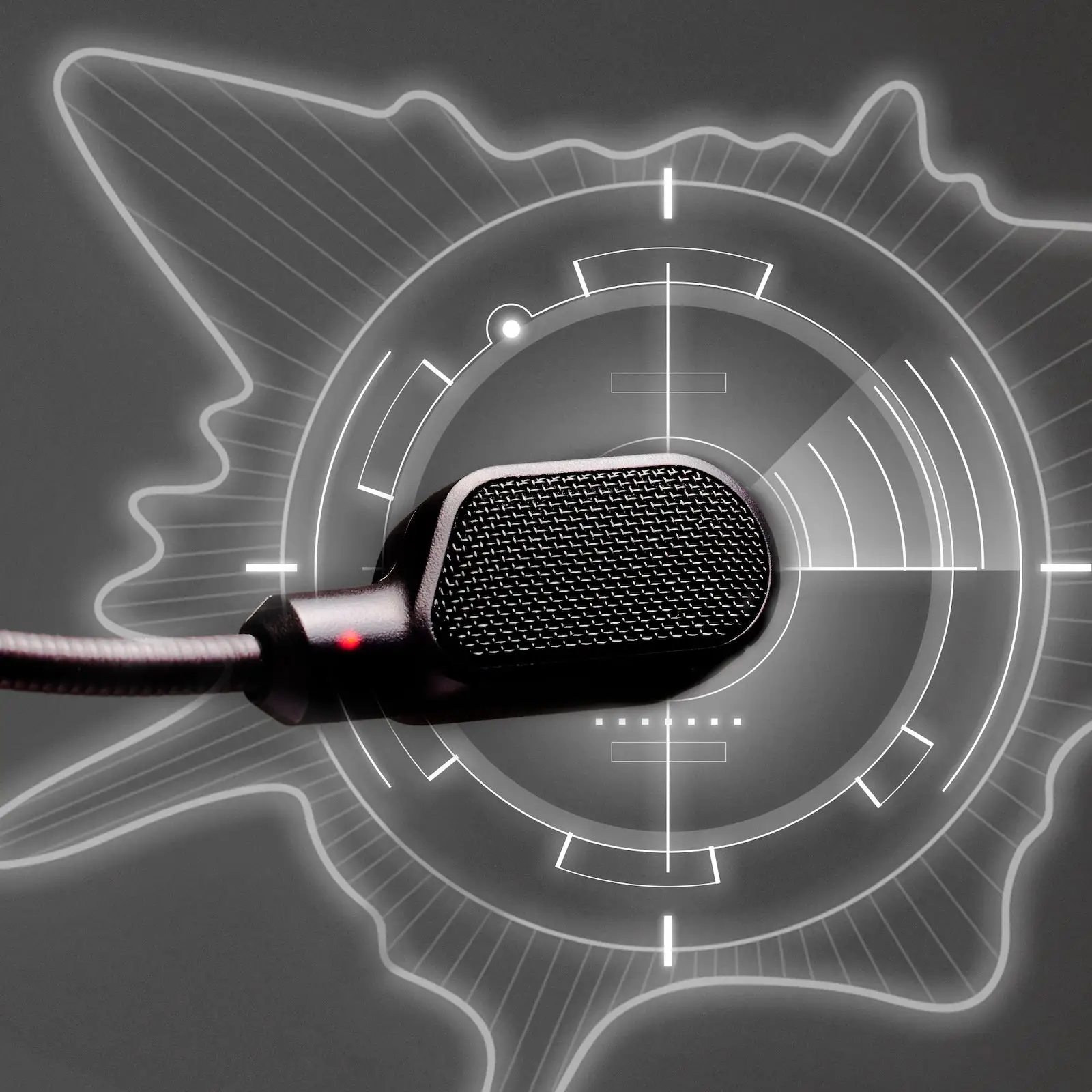
This is the biggest gap between the two. Both headsets have a detachable noise-cancelling mic. The Cloud III’s mic is a 10 mm unit with a uni-directional pickup pattern and an LED that shows when you are muted. The Alpha’s mic is bi-directional. In practice, the Alpha’s voice often comes out quiet and needs extra gain before it is usable in voice chat, which also raises its noise floor. The Cloud III is louder and clearer out of the box.
If you talk to teammates every session, the Cloud III’s mic alone can justify the choice. If you already own a desk mic or play mostly solo, the Alpha’s weaker mic matters far less.
The Cloud III’s detachable mic with its mute LED. (Image: HyperX)
Comfort and Build: Close, With a Slight Edge to Weight
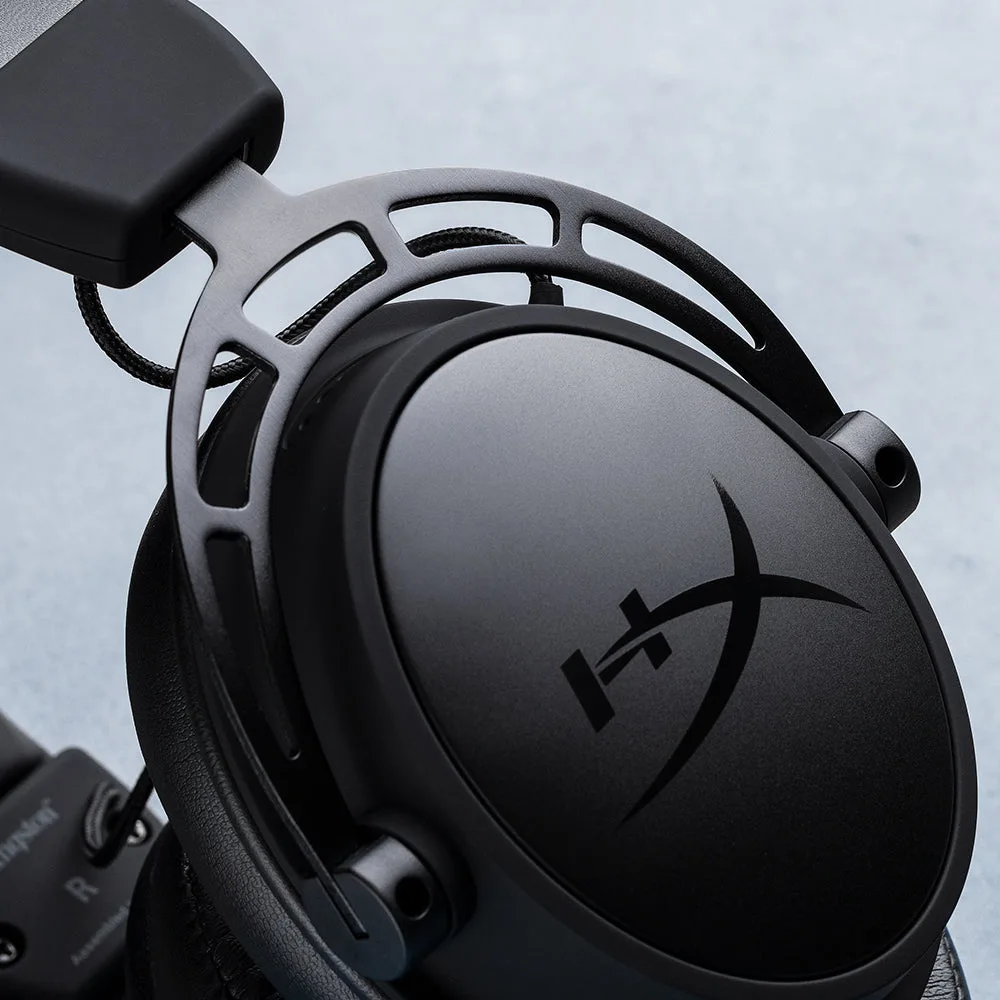
Both use an aluminum frame with memory foam and leatherette ear cushions, and both are closed-back, over-ear designs. HyperX lists the Alpha at 0.65 lb and the Cloud III at 0.67 lb (0.70 lb with its mic attached), so the difference is small. The Alpha’s clamp can start to feel firm after two or three hours on some heads, while the Cloud III may feel easier to wear for long sessions. Fit still depends on your head shape, so treat this as a small edge rather than a reason to switch.
The Cloud Alpha’s aluminum frame and ear cup. (Image: HyperX)
Connections and Software: USB-C Gives the Cloud III Extras
The Cloud Alpha is a pure 3.5 mm headset. It comes with a 4.26 ft detachable braided cable with in-line volume and mic-mute controls, plus a 6.56 ft PC extension cable. A detachable cable is easy to replace if it frays, which is the Alpha’s most practical advantage. With no USB connection, it also has no companion software.
The Cloud III works over 3.5 mm too, and adds a USB-C dongle cable with a USB-C to USB-A adapter. Plugged in over USB on PC, it works with HyperX NGENUITY software, which offers a 10-band equalizer, presets and DTS spatial audio. The software can be buggy, and you can skip it entirely and use the headset over 3.5 mm. The Cloud III also puts volume and mute controls on the ear cup instead of an in-line remote. HyperX does not list its headset cable as detachable, so a damaged cable is a bigger problem than on the Alpha.
Both work on PC, PS5, Xbox Series X|S, Nintendo Switch and mobile. Looking for other options in this price band? Our guide to the best gaming headset for hearing footsteps includes both of these headsets alongside rivals.
The Cloud III in use with its mic attached. (Image: HyperX)
HyperX Cloud III vs Cloud Alpha: Full Specs
Feature
HyperX Cloud III
HyperX Cloud Alpha
Drivers
Dynamic, 53 mm, angled
Custom dynamic, 50 mm, dual chamber
Frequency response
10 Hz to 21 kHz
13 Hz to 27 kHz
Sensitivity
100 dBSPL/mW
98 dBSPL/mW
Form factor
Over-ear, closed-back
Over-ear, closed-back
Weight
0.67 lb (0.70 lb with mic)
0.65 lb Wins
Frame
Aluminum
Aluminum
Ear cushions
Memory foam and leatherette
Memory foam and leatherette
Microphone
Detachable, uni-directional, mute LED Wins
Detachable, bi-directional
Connections
3.5 mm, USB-C, USB-A adapter Wins
3.5 mm
Cable
3.93 ft headset cable, 4.26 ft USB cable
4.26 ft detachable, 6.56 ft PC extension Wins
Controls
Ear cup volume and mute
In-line volume and mute
Software
NGENUITY (USB, PC) Wins
None
Warranty
2 years
2 years
And the Winner Is…
WinnerHyperX Cloud III
The Cloud Alpha still has real strengths: a detachable braided cable that is easy to replace, in-line controls, and a slightly lighter build. If you want the simplest 3.5 mm headset and already have a separate mic, it remains a sensible buy. For most people choosing between the HyperX Cloud III and Cloud Alpha, though, the Cloud III is the smarter pick. Its mic is the main gain, since the Alpha’s often needs extra gain to sound usable in chat. Add larger drivers, a more balanced tuning, USB-C support and optional EQ, and it fits both PC and console players better. Pick the Alpha only if a replaceable cable or the existing cable-based setup matters more than voice quality.
Decide how much you talk. If party chat is part of every session, the HyperX Cloud III gives you a mic you will not need to work around, plus a more even sound and a USB option. If you mostly play single-player games, already use a desk mic and want a cable you can swap out, the Cloud Alpha is the quieter, simpler choice. Neither is a bad headset, but the Cloud III is the one most players should start with.
I'm Sean, and I write the comparisons on GameCuki. I cover anything gamers weigh up before buying: consoles and handhelds, PC components and gaming laptops, monitors, controllers, headsets and accessories, plus subscriptions and services like Game Pass and PlayStation Plus. I put both options on the same checklist, using official specs, professional reviews and owner feedback, and I only mention what owners say when at least two of them report the same thing. Every comparison ends with one clear verdict and the type of player each option suits. I don't accept free products or payment from brands, and what I write comes from research, not my own use of the products. You can read my full process on our How We Review page.
Areas of Focus
Controller Match-UpsHeadset Match-UpsConsole vs. ConsoleSpecs & Latency