GameCuki is reader-supported. When you buy through links on our site, we may earn an affiliate commission at no extra cost to you. As an Amazon Associate I earn from qualifying purchases. Learn more.
Two full-size controllers snap around your phone and plug into USB-C, yet they go about it differently. The GameSir G8 Galileo vs Razer Kishi Ultra decision comes down to one question: do you want the cheaper, better-equipped controller, or Razer’s roomier fit, haptics and software? Grips, sticks, extra buttons, case fit and tablet support all feed into the answer.
Best Overall
GameSir G8 Galileo
Bottom LineThe better buy for most phone gamers, with Hall effect sticks, true back buttons and a pivoting USB-C plug, as long as your case is thin.
GameSir G8 Galileo vs Razer Kishi Ultra: Full Specs
Feature
GameSir G8 Galileo
Razer Kishi Ultra
Connection
Wired USB-C plug
Wired USB-C plug
Phones
Android, iPhone 15 and newer (USB-C)
Android 12+, iPhone 15 and newer (iOS 17), iPad mini (6th gen and A17 Pro) Wins
Case support
No case or a case up to 1mm thick
Most popular cases, with swappable rubber cushions Wins
Sticks
Hall effect, 3 swappable caps Wins
Standard analog, clickable
Triggers
Hall effect analog
Hall effect analog
Extra buttons
2 back buttons Wins
2 extra bumpers
Face buttons
Standard
Mecha-tactile microswitch hybrid Wins
USB-C plug
Moves to fit the phone Wins
Fixed
Headphone jack
3.5mm
3.5mm
Pass-through charging
Yes
Yes (15W)
Haptics
None listed
Razer Sensa HD (Android 12+ only) Wins
Lighting
None
Chroma RGB Wins
Battery
None (powered by the phone)
None (powered by the phone)
Companion app
GameSir app (Android only)
Razer Nexus (Android and iOS), no subscription Wins
Weight
Not listed
266g
Size
217 x 107 x 54mm
244.8mm wide collapsed, 334.8mm expanded, 110.8mm tall, 64.3mm deep
Grips and Comfort: Two Full-Size Designs
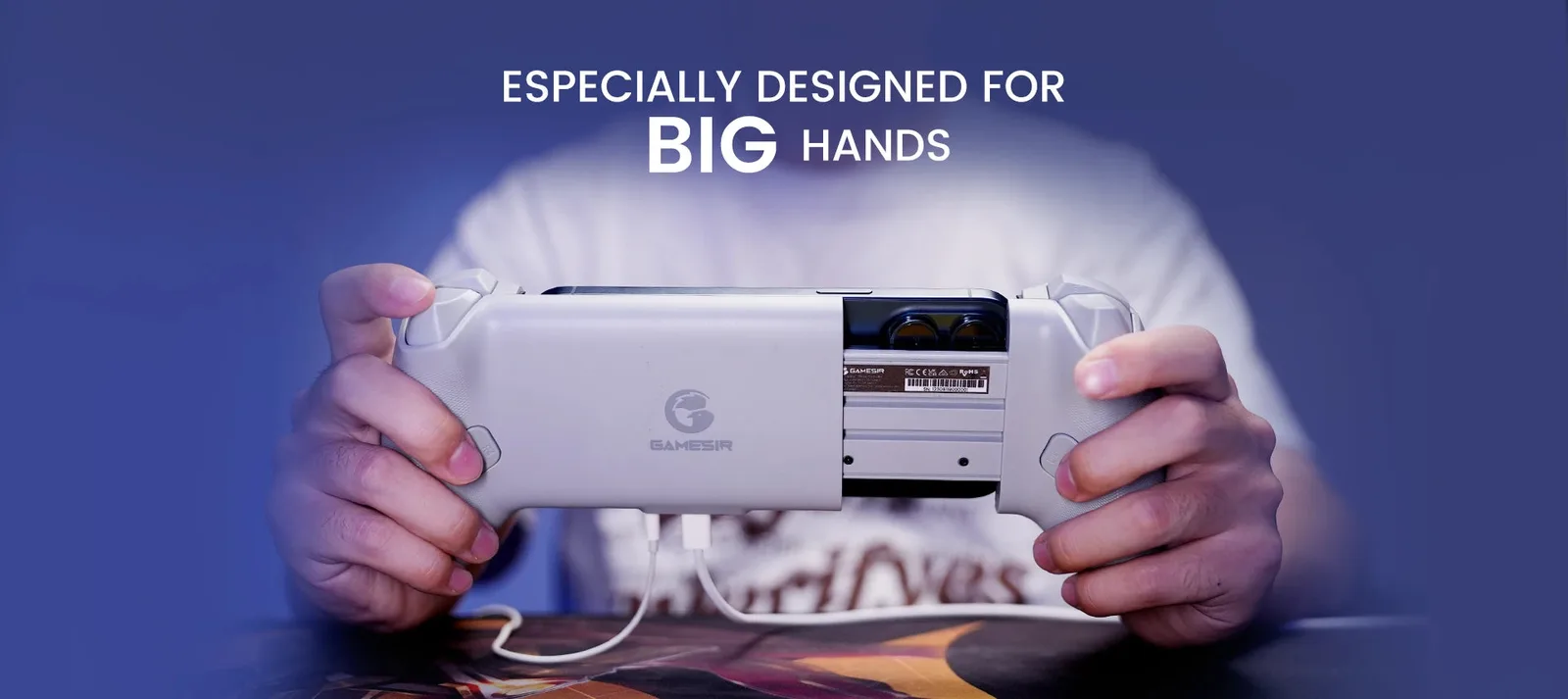
Neither controller tries to be small. Both split a console-style pad in half around your phone, which makes them far roomier than compact options such as the Backbone One or the older Kishi V2. The G8 Galileo was designed for big hands, with long, rounded grips that fill the palm.
The G8 Galileo’s grips are shaped for larger hands. (Image: GameSir)
The Kishi Ultra goes a step further. Its grips are chunkier still, with room for the pinky fingers along the bottom edge, and its Wolverine-style layout feels closer to a PC pad than to a mobile accessory. For long sessions it is the more comfortable of the two, especially in third-person games.
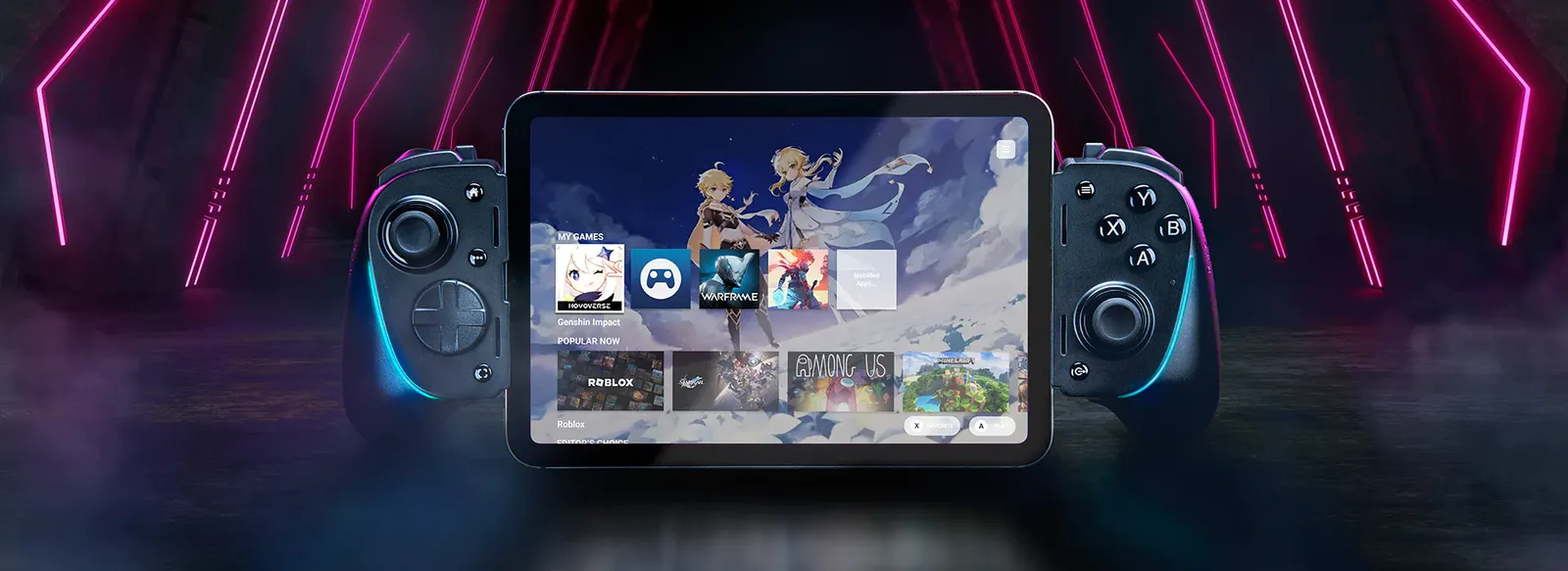
The Kishi Ultra holds an iPad mini as well as phones. (Image: Razer)
The price of that size is portability. The Kishi Ultra’s back plate cannot be removed or folded, so it takes up roughly twice the room of a normal gamepad once a big phone is snapped in.
Phone and Case Fit: Razer Takes This Round
Both controllers connect through USB-C, so both work with Android phones and iPhone 15 or newer. After that, they split. The Kishi Ultra works with the iPad mini (6th generation and A17 Pro), runs on Android 12 or newer and ships with rubber cushions you can swap or remove to fit a phone in a case. Razer notes that cases covering the phone’s USB-C port may not fit.
The G8 Galileo is pickier. GameSir lists phones from 110 to 185mm long and up to 13mm thick, with a camera bump no deeper than 5mm, and recommends using it with no case or one no thicker than 1mm. A bulky rugged case means taking the case off every time you play.
Connector Design: A Pivoting Plug Helps
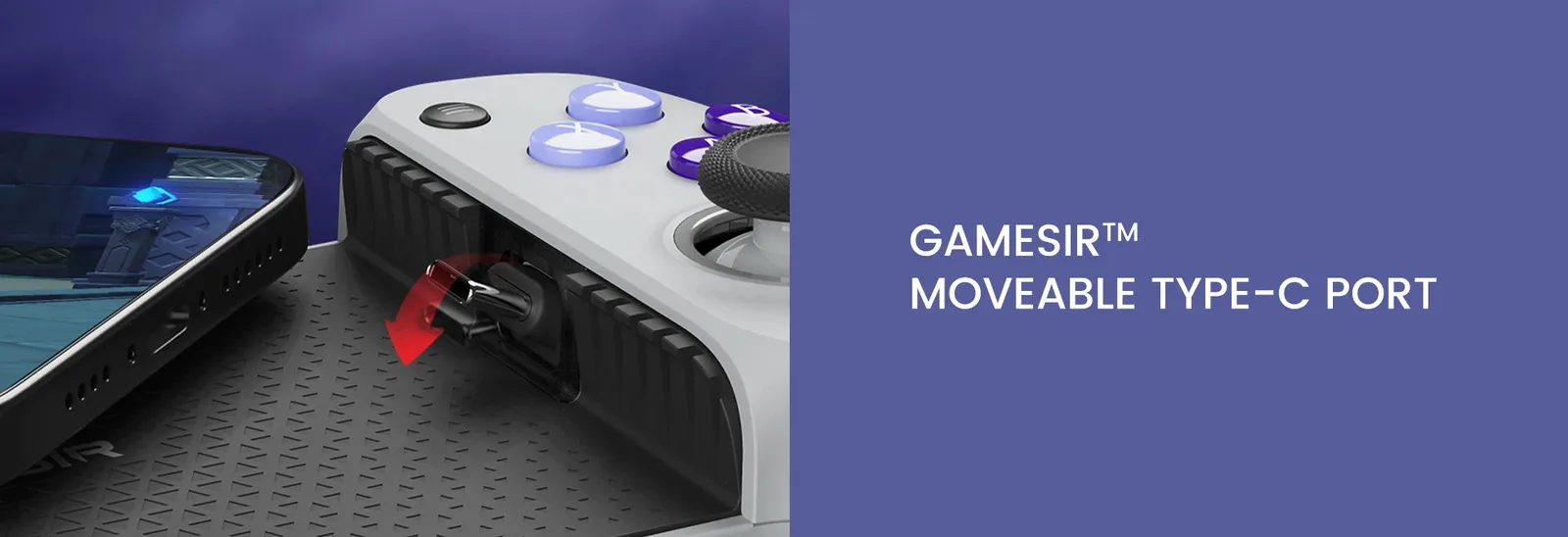
The G8 Galileo has a movable USB-C port that swivels as you slide your phone in, which makes the connection more forgiving. The Kishi Ultra’s plug is rigid, which makes it fussier to line up, though the rubber cushions help hold the phone steady.
The G8 Galileo’s USB-C plug swivels to meet the phone. (Image: GameSir)
Sticks, Buttons and Triggers
Here the G8 Galileo has the edge on paper. It uses Hall effect sticks, which are designed to resist drift, while the Kishi Ultra’s full-size sticks are not Hall effect, a disappointing detail on the pricier controller. Both have Hall effect analog triggers, so racing and shooting games can read how far you pull.
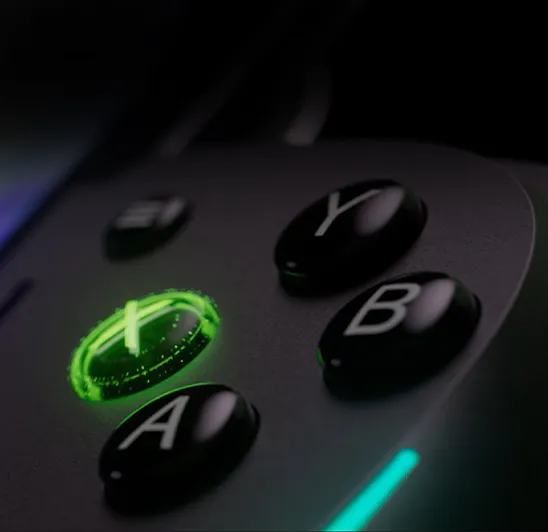
The Kishi Ultra’s face buttons and D-pad are the better of the two. Razer calls them mecha-tactile, blending microswitch click with a cushioned membrane feel, and its triggers are narrow and quiet. The G8’s buttons are serviceable but less distinctive.
Razer’s mecha-tactile face buttons are the Kishi Ultra’s strongest control feature. (Image: Razer)
Extra inputs are the sharpest difference. The G8 Galileo has two back buttons you can map on the fly, so your fingers stay on the sticks and triggers. The Kishi Ultra has two extra bumpers instead. They are remappable, but they sit inboard of the main bumpers, so reaching for them can trigger L1 or R1 by accident in tense moments. For precision platformers and shooters, back buttons are simply better. GameSir’s smaller X5 Lite has no back buttons at all, as our GameSir X5 Lite vs G8 Galileo comparison explains.
Extras: Haptics, RGB, Software and Swappable Parts
The Kishi Ultra is the feature-heavy option. It adds Razer Sensa HD haptics (Android 12 or newer, not iOS), Chroma RGB with dimmable effects, and the free Razer Nexus app, which handles button remapping, dead zone calibration, game launching and a Virtual Controller Mode for games without gamepad support. Nexus needs no subscription.
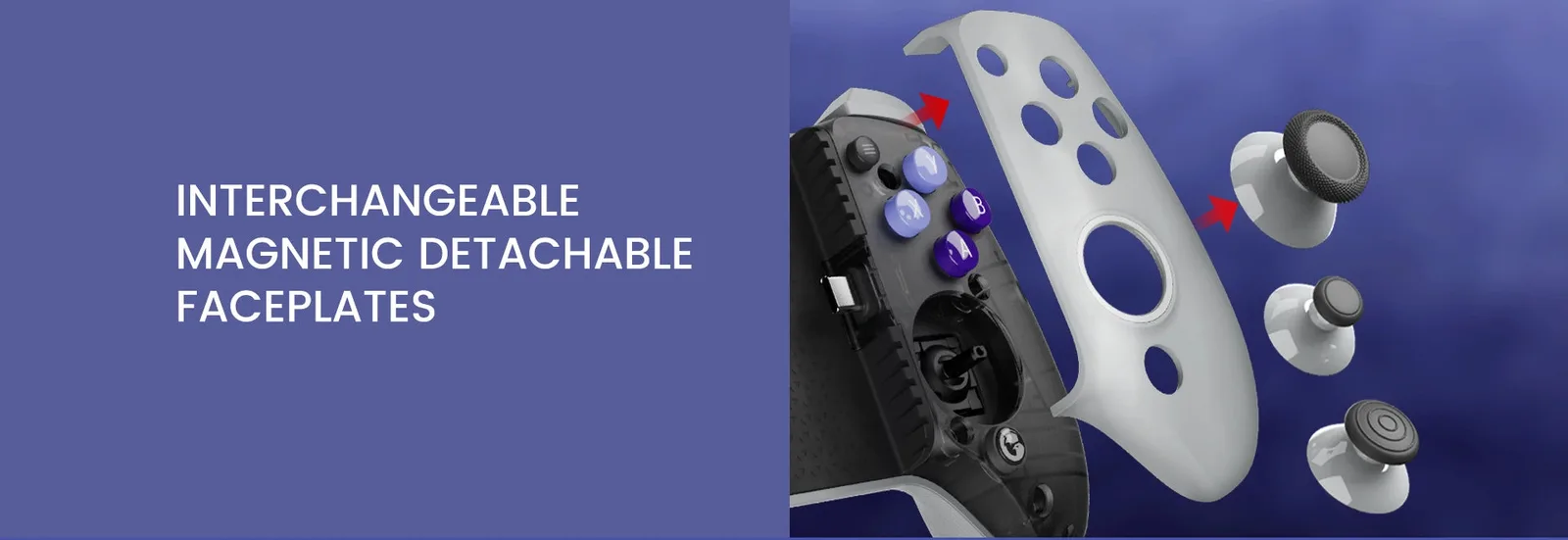
The G8 Galileo keeps things simpler but has tricks of its own: magnetic detachable faceplates and three swappable stick caps. Its GameSir app works only on Android, so iPhone owners rely on iOS’s own button remapping.
The G8 Galileo’s faceplates detach magnetically and its stick caps swap out. (Image: GameSir)
Both have a 3.5mm headphone jack and USB-C pass-through charging, so you can use wired headphones while topping up the phone. Neither has a battery, so both draw power from the phone.
And the Winner Is…
WinnerGameSir G8 Galileo
The Kishi Ultra is the more comfortable controller, with better face buttons, haptics, RGB, a polished app and much friendlier case and iPad mini support. If you play in a thick case or on an iPad mini, it is the one to buy. For most people, though, the G8 Galileo is the smarter choice. It has Hall effect sticks, real back buttons and a pivoting plug, and it is usually the cheaper of the two. Razer’s extra bumpers, standard sticks and rigid connector are hard to forgive on a controller that costs more. In the GameSir G8 Galileo vs Razer Kishi Ultra matchup, the G8 wins on value, as long as your case is thin or you play without one.
Final Thoughts on GameSir G8 Galileo vs Razer Kishi Ultra
If you want the best-equipped controller for the money, get the GameSir G8 Galileo. If your phone lives in a thick case, you own an iPad mini, or you want haptics and RGB, the Razer Kishi Ultra is worth the extra spend, particularly when it is discounted. Either way, check your phone’s length and case thickness before you buy. For more of the brand’s lineup, see our best GameSir controller guide.
I'm Sean, and I write the comparisons on GameCuki. I cover anything gamers weigh up before buying: consoles and handhelds, PC components and gaming laptops, monitors, controllers, headsets and accessories, plus subscriptions and services like Game Pass and PlayStation Plus. I put both options on the same checklist, using official specs, professional reviews and owner feedback, and I only mention what owners say when at least two of them report the same thing. Every comparison ends with one clear verdict and the type of player each option suits. I don't accept free products or payment from brands, and what I write comes from research, not my own use of the products. You can read my full process on our How We Review page.
Areas of Focus
Controller Match-UpsHeadset Match-UpsConsole vs. ConsoleSpecs & Latency